
|
Do it yourself
| |||
| ||||


What is the Fuse Box Diagram for the Chevrolet Silverado Pickup?
Model: Chevrolet Silverado
MK 1
- Years:
1998, 1999, 2000, 2001, 2002, 2003, 2004, 2005, 2006, 2007
Video tutorial
In this video, you can see where the fuse boxes are located in the Chevrolet Silverado pickup and their respective diagrams, useful in case you need to check the fuses of a malfunctioning device. The first two boxes are inside the cabin, one behind the left side trim and the other in the lower area of the dashboard, also on the left side. The third and final box is located in the engine compartment, protected by the black plastic cover next to the battery. Make sure to replace any blown fuses with replacements that have equivalent specifications.
Updated on 16 October 2026 by ScegliAuto
Related tutorials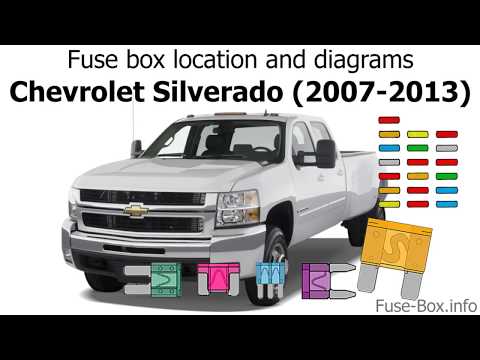
Chevrolet Silverado
(2007-2014 /
MK 2)
If any devices in your Chevrolet Silverado pickup have suddenly stopped working, first check the status of the corresponding fuses, which are indicat…

Chevrolet Silverado
(1998-2007 /
MK 1)
In this video, we can see where the fuse boxes are located in the Chevrolet Silverado pickup and their respective diagrams, useful in case we need to…

Chevrolet Silverado
(2007-2014 /
MK 2)
If the parking lights on your Chevrolet Silverado pickup have suddenly stopped working and the bulbs are intact, you can check the status of the resp…
Other guides you may be interested in
|
How to reset the tyre pressure warning light on the Kia Niro EV?
To reset the tyre pressure warning light on the Kia Niro EV, inflate the tyres until they reach the correct pressure value. This value is indicated on the sticker attached to the driver's door pillar. Once the tyres are inflated, turn on the instrument cluster to check that the warning light has completely disappeared from the display. If it is still present, you may need to drive for a few miles to ensure it disappears completely from the screen. by ScegliAuto More videos
|
|
For advertising on this site Write to info@scegliauto.com
ScegliAuto is not responsible for any inaccuracy of the data in the lists. To report any inaccuracy or your business (if you own the business in question), please write to info@scegliauto.com
Number of seconds to generate the page: 0.156
(c) ScegliAuto 2026 - info@scegliauto.com - Privacy policy VAT number: IT01247470535 |
