
|
Do it yourself
| |||
| ||||


How to Reset the Engine Oil Light in a Ford Transit
Model: Ford Transit
Custom
- Years 2012-2024
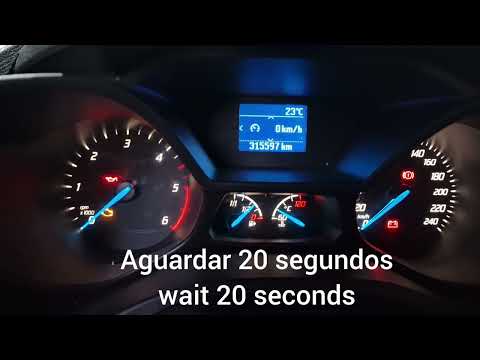
The procedure for resetting the maintenance light of a Ford Transit vehicle is shown in the selected tutorial video. First, get in the vehicle, insert the key into the ignition and turn it to the ON position to power the instrument panel without starting the engine. Use the buttons on the steering wheel to access the settings, then press the menu button and navigate through the options using the directional arrow buttons; select the 'vehicle information' option and then 'oil change interval'; hold the OK button for about five seconds until you see the confirmation message for the reset. Turn off and turn on the panel to verify the success of the procedure.
Posted on 11 March 2026 by ScegliAuto
Video tutorial
Related tutorials
Ford Transit
(2014-2024 /
MK 8)
Today's instructions will show us how to reset the service light for the regular maintenance of the engine oil change in the Ford Transit. First, we …

Ford Transit
(2014-2024 /
MK 8)
After performing the engine oil change on the Ford Transit, it is necessary to reset the oil light. To reset the light, you need to turn on the instr…
Ford Transit
(2006-2014 /
MK 7)
This video shows how to be able to reset the oil light on your Ford Transit Connect if it does not turn off automatically after an oil change. The pr…
Other guides you may be interested in
|
Removing the Door Panel on a BMW Z3
Remove the front left door panel on a BMW Z3. Use a screwdriver to remove the trim around the upper door handle. Take out the switch panel from the door panel (disconnect the connector), unscrew the remaining screws on the door panel, and detach the retaining clips. Finally, pull the panel away by hand and disconnect it from the door (disconnect the power wiring and the opening cable if present on the model). Perform the desired maintenance inside the door. Refit the panel after maintenance. by ScegliAuto More videos
|
|
For advertising on this site Write to info@scegliauto.com
ScegliAuto is not responsible for any inaccuracy of the data in the lists. To report any inaccuracy or your business (if you own the business in question), please write to info@scegliauto.com
Number of seconds to generate the page: 0.169
(c) ScegliAuto 2026 - info@scegliauto.com - Privacy policy VAT number: IT01247470535 |
