
|
Do it yourself
| |||
| ||||


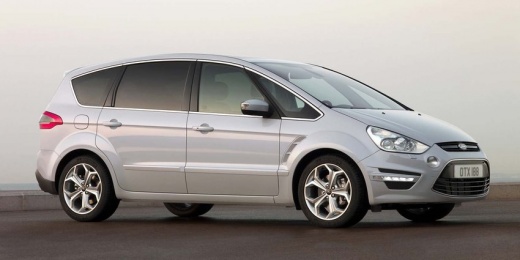
How to Reset the Service Light on a Ford S Max
Model: Ford S Max
MK 1
- Years 2006-2016
In today's article, you will learn how to reset the service light on a Ford S Max if this operation has not been carried out by the workshop performing the service. To reset the service light, first press the brake and accelerator pedals simultaneously, keeping them pressed while starting the instrument cluster. Wait for the complete reset message to appear on the display, then press the OK button, release the pedals, and restart the instrument cluster. The procedure will then be complete. It is recommended to perform this only if the reset of the light has not been done by the workshop that carried out the service.
Posted on 11 May 2026 by ScegliAuto
Video tutorial
Related tutorials
Ford S Max
(2016-2024 /
MK 2)
Today, you will learn how to reset the service light related to the car service on a Ford S Max vehicle. To reset the light, turn on the instrument c…

Ford S Max
(2006-2016 /
MK 1)
Resetting the service light on a 2006 Ford S Max vehicle is a simple and quick procedure that can be done independently. The service light not only i…

Ford S Max
(2006-2016 /
MK 1)
When the service light of the Ford S Max turns on, it means that we need to perform the car service on the vehicle and then reset the light. To reset…
Other guides you may be interested in
|
How to replace the horn on a Renault Duster - Dacia Duster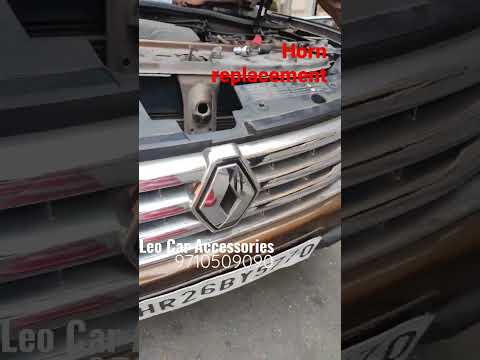
Today's main instructions will show you the procedure for removing and replacing the horn or sound signal on the Renault Duster, as well as the Dacia Duster. First, open the bonnet of the vehicle and start removing the front bumper by unscrewing all the fixing screws; you will find the horn right in front of the radiator, as shown in the video. At this point, disconnect the electrical connector and unscrew the bracket screw to remove and replace the horn with the new one; finally, reassemble the front bumper! by ScegliAuto More videos
|
|
For advertising on this site Write to info@scegliauto.com
ScegliAuto is not responsible for any inaccuracy of the data in the lists. To report any inaccuracy or your business (if you own the business in question), please write to info@scegliauto.com
Number of seconds to generate the page: 0.085
(c) ScegliAuto 2026 - info@scegliauto.com - Privacy policy VAT number: IT01247470535 |
