
|
Do it yourself
| |||
| ||||



Changing the Battery in a Ford C-Max
Model: Ford C Max
MK 2
- Years:
2010, 2011, 2012, 2013, 2014, 2015, 2016, 2017, 2018, 2019
This video is currently unavailable
Before proceeding to replace the battery in your Ford C-Max, ensure the vehicle is on a flat surface, well secured, or on a ramp so you can work on it safely and stably. This precaution is always necessary when performing maintenance on a vehicle to ensure the operator's safety. Once done, open the front bonnet and, once you locate the battery position, remove (following the operations illustrated in the images) the element in front of it, which belongs to the engine's ventilation system. Now, unscrew the bolt connecting the earth wire to the bodywork and then the bolt securing the connection to the positive terminal. Finally, unscrew the bolts securing the negative terminal and the battery itself in its position. Slide the battery out of its housing and disconnect the sensor connected to the earth. Now, install the new battery, ensuring to connect the earth cable first, followed by the negative terminal cable. Finally, repeat the previous operations in reverse order.
Updated on 6 April 2026 by ScegliAuto
Related tutorials
Ford C Max
(2010-2019 /
MK 2)
In this video we can see how to change the battery of the Ford Grand C-Max: To change the battery, it is necessary to remove the box containing the a…

Ford C Max
(2010-2019 /
MK 2)
In this video, we will see how to change the battery of the Ford C-Max MK2 remote control: to do this operation we will need a small screwdriver and …
Ford C Max
(2010-2019 /
MK 2)
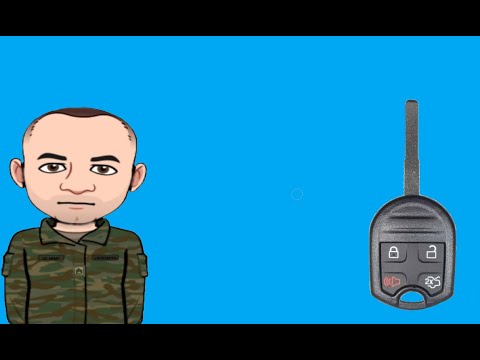
Start by inserting the tip of a thin but sturdy tool into the slot on the top side of the key fob for your Ford C-Max, then lever it open. Next, dise…
Other guides you may be interested in
|
How to Reset the Tyre Light on a Toyota Aygo?
To reset the tyre light on a Toyota Aygo, start by locating the reset button, which is found in the glove compartment of the front passenger side. Turn on the car and ensure that the tyres are at the correct pressure. Then, press and hold the reset button for a few seconds until the tyre light either flashes or turns off, depending on the model. Release the button and wait for the reset procedure to complete. Restart your Toyota Aygo and check if the tyre light has turned off, indicating that the reset was successful. by ScegliAuto More videos
|
|
For advertising on this site Write to info@scegliauto.com
ScegliAuto is not responsible for any inaccuracy of the data in the lists. To report any inaccuracy or your business (if you own the business in question), please write to info@scegliauto.com
Number of seconds to generate the page: 0.069
(c) ScegliAuto 2026 - info@scegliauto.com - Privacy policy VAT number: IT01247470535 |
