
|
Do it yourself
| |||
| ||||


How to replace the timing belt of the 2019 Iveco Daily
Model: IVECO Daily
MK 5
- Years 2014-2026
Today we will explain how to replace the timing belt of the 2019 Iveco Daily on your own. To perform the belt replacement, we need to remove the front bumper; we remove the four plastic clips along the bumper and unscrew the screws on the left and right sides. We remove the lower screws and disconnect the grille to remove the bumper. We remove the connector of the right and left headlights to take the headlights out of their housing. We remove the radiator by disconnecting the connector and unscrewing the locking screws. We remove the air filter box and the air conditioning grille. Once we have access to the timing belt, we loosen the pulley to slide off the belt. We remove the timing belt and insert the new one, tightening the pulley and the tensioner roller. We then proceed to reassemble the parts previously removed to access the belt. We install the air conditioning grille and the radiator. We position the outer grille and the bumper, and after securing it, we reinsert the right and left headlights.
Posted on 27 January 2026 by ScegliAuto
Video tutorial
Related tutorials
IVECO Daily
In this guide, we will go through the steps to remove and replace the timing belt of the Iveco Daily. First, open the bonnet and remove the front bum…

IVECO Daily
(2006-2020 /
MK 4)
Today's guide will show you the steps necessary to remove and replace the timing belt on an Iveco Daily 2.3. First, open the bonnet and remove the fr…
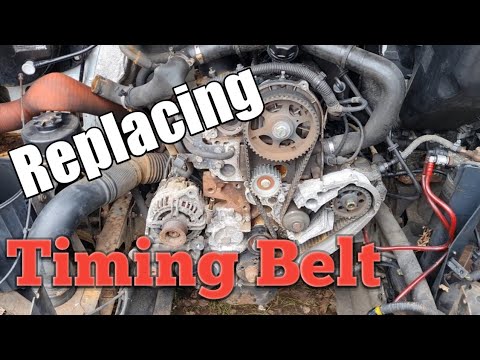
IVECO Daily
This guide shows you how to remove and replace the timing belt on the Iveco Daily, following the instructions below. To access the timing belt, you w…
Other guides you may be interested in
|
What Does the "Code 60" Message Mean in the Opel Meriva?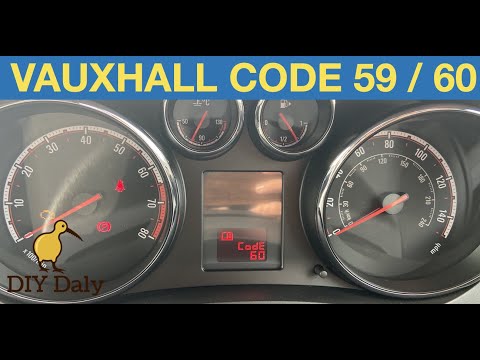
If the "Code 60" message has appeared on the dashboard of your Opel Meriva, it means that the passenger side window is not calibrated correctly. This issue can arise, for example, after disconnecting or replacing the battery, as the control unit for the various devices will lose the stored data. To remove the warning from the dashboard, simply turn on the ignition, fully open the window, and then close it. This procedure is also valid for the driver's window if the "Code 59" message appears. by ScegliAuto More videos
|

|
For advertising on this site Write to info@scegliauto.com
ScegliAuto is not responsible for any inaccuracy of the data in the lists. To report any inaccuracy or your business (if you own the business in question), please write to info@scegliauto.com
Number of seconds to generate the page: 0.891
(c) ScegliAuto 2026 - info@scegliauto.com - Privacy policy VAT number: IT01247470535 |
