
|
Do it yourself
| |||
| ||||


How to Remove the Door Panel on a Range Rover Sport
Model: Land Rover Range Rover
L322, MK 3
- Years 2002-2012
How to remove the door panel on a Range Rover Sport? Don't worry, before starting the disassembly, disconnect the battery terminals located in the engine compartment. Use a pry tool to remove the plastic cover at the corner of the window, then use a screwdriver to remove the screws securing the plastic panel (handle and release lever). Once all screws are removed, use the pry tool to detach all the plastic clips that hold the door panel. Remove the door panel, disconnect any power connectors and release cable. Perform the necessary maintenance inside the door.
Updated on 6 March 2026 by ScegliAuto
Video tutorial
Related tutorials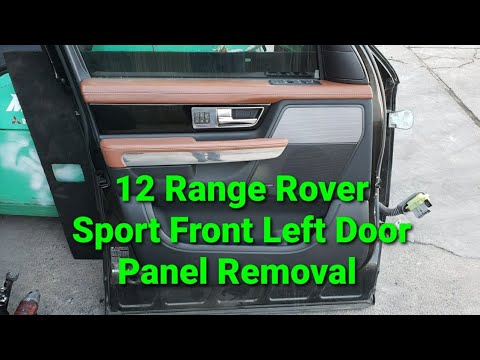
Land Rover Range Rover
(2012-2021 /
MK 2)
In this video, you will see the steps to remove the front door panel on a Land Rover Range Rover Sport L320. First, open the front door and pry on th…

Land Rover Range Rover
(2012-2021 /
MK 2)
Before you begin, sit in the driver's seat of your Range Rover Sport. Start by activating the onboard computer by pressing the power button located o…

Land Rover Range Rover
(2012-2021 /
MK 2)
Start by removing the silver side cover of the key fob for your Range Rover Sport, then disengage and remove the physical emergency key underneath. N…
Other guides you may be interested in
|
How to change the time on a Toyota Yaris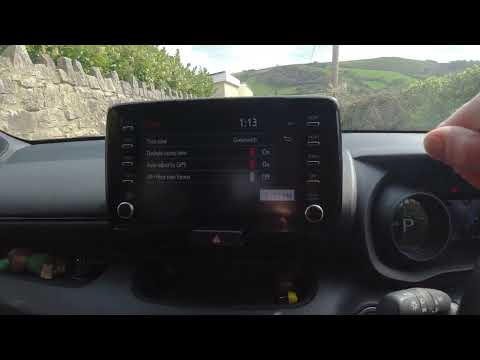
In this video we see how to change the time on a Toyota Yaris, specifically when it comes to switching from daylight saving time to standard time and vice versa. We go to the multifunction screen and press "settings": from there we go to press the clock, simply click on daylight saving time, and the clock will change the time for us, without doing anything else. All we want to do is just adjust the time format to 12 or 24 hours, as is customary in the area where we live: for example in Anglo-Saxon countries it is common to set the time to 12 hours, while in the European Union it is normally set to 24 hours. by ScegliAuto More videos
|
|
For advertising on this site Write to info@scegliauto.com
ScegliAuto is not responsible for any inaccuracy of the data in the lists. To report any inaccuracy or your business (if you own the business in question), please write to info@scegliauto.com
Number of seconds to generate the page: 0.142
(c) ScegliAuto 2026 - info@scegliauto.com - Privacy policy VAT number: IT01247470535 |
