
|
Do it yourself
| |||
| ||||


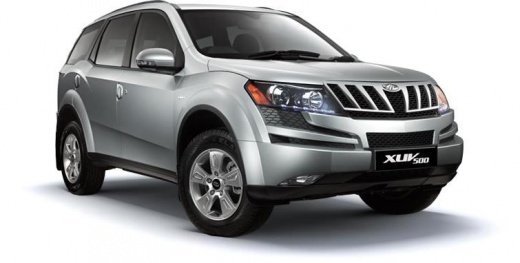
How to Remove the Center Console of the Mahindra XUV500?
Model: Mahindra Xuv500
MK 1
- Years:
2011, 2012, 2013, 2014, 2015, 2016, 2017, 2018
Video tutorial
In this tutorial, you will see how to remove the center console in the Mahindra XUV500, a very simple and quick operation. To do this, you will only need a plastic spatula and a Phillips screwdriver. Before proceeding, ensure that the key is not inserted to operate safely. Start by prying off the upper panel with the spatula, then unscrew the two screws that are now exposed. Grasp the entire console and, pulling it towards you while being careful not to damage the lower clips, detach it from the dashboard. Finally, disconnect the connectors and install the replacement part by following the reverse procedure.
Updated on 8 June 2026 by ScegliAuto
Related tutorials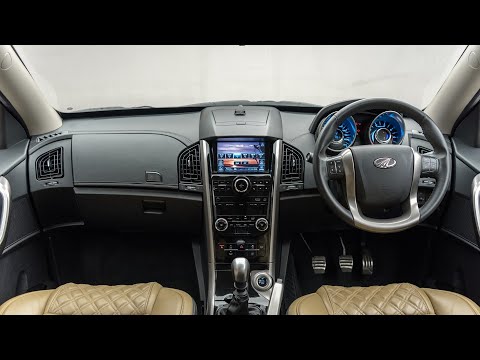
Mahindra Xuv500
(2011-2018 /
MK 1)
This tutorial shows how to remove the steering wheel on the Mahindra XUV500, a very simple operation. Before proceeding, disconnect the negative batt…
Mahindra Xuv500
(2011-2018 /
MK 1)
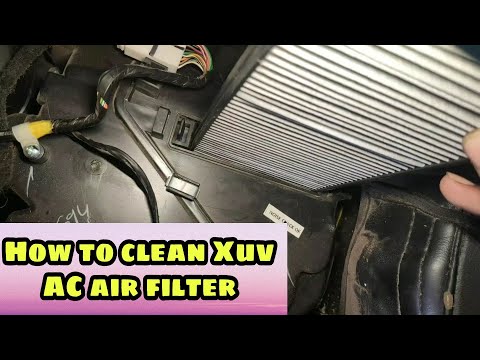
In this tutorial, you will see how to remove the cabin air filter in the Mahindra XUV500, allowing you to clean or completely replace it. First, grab…
Mahindra Xuv500
(2011-2018 /
MK 1)
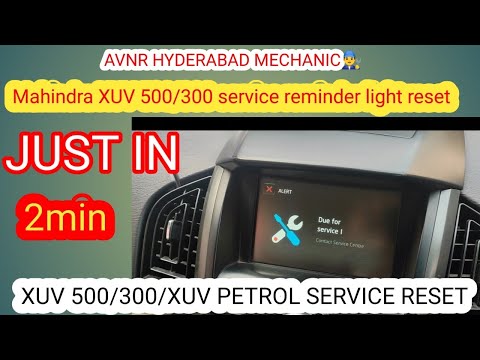
This guide shows you how to reset the maintenance light for the oil change that appears on the central display of the Mahindra XUV500. First, get in …
Other guides you may be interested in
|
How to Replace the Cabin Filter on the Ford Puma
To replace the cabin filter on the Ford Puma, detach the small cover located on the left side of the front passenger footwell: once this is removed, loosen the underlying screw so that you can detach the corresponding panel. At this point, locate the filter box underneath, which can be opened to remove the filter inside. The new filter can then be inserted, covering everything with the box and refitting the corresponding panel into its housing. by ScegliAuto More videos
|
|
For advertising on this site Write to info@scegliauto.com
ScegliAuto is not responsible for any inaccuracy of the data in the lists. To report any inaccuracy or your business (if you own the business in question), please write to info@scegliauto.com
Number of seconds to generate the page: 0.120
(c) ScegliAuto 2026 - info@scegliauto.com - Privacy policy VAT number: IT01247470535 |
