
|
Do it yourself
| |||
| ||||


How to put the rear brakes of the Mazda CX5 in service mode
Model: Mazda CX-5
MK 2
- Years 2017-2024
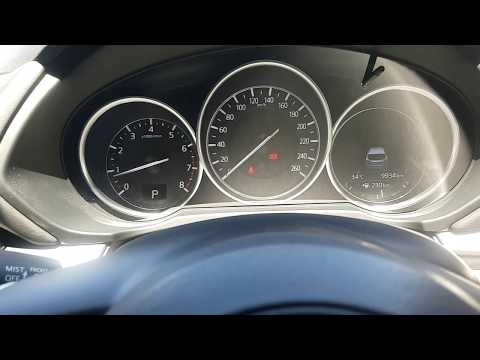
In this video, we see how to put the rear brakes of a Mazda CX-5 with an electric brake in service mode, in order to perform maintenance. We turn on the instrument panel, then press the accelerator pedal with one foot, and press the parking brake button located on the center console with one hand. With the other hand, we press the ignition switch to turn it off. In this way, we will hear the brake calipers retract audibly. This is a necessary step to take before repairing the rear braking system.
Posted on 25 March 2025 by ScegliAuto
Video tutorial
Related tutorials
Mazda CX-5
(2017-2024 /
MK 2)
In this video we see how to put the parking brake of the Mazda CX5 in maintenance mode, so that we can eventually put the rear brakes of the same car…

Mazda CX-5
(2017-2024 /
MK 2)
In this video, we see how to reset the i-stop system on the Mazda CX5, with the help of the Delphi BOT. i-stop is nothing more than Mazda's start & s…
Mazda CX-5
(2017-2024 /
MK 2)
To reset the service light on a second generation Mazda CX5 (2017/2023), we must first start the vehicle, then use the central knob located on the ce…
Other guides you may be interested in
|
Frequently Asked QuestionsReplacing the Timing Chain on a Toyota Yaris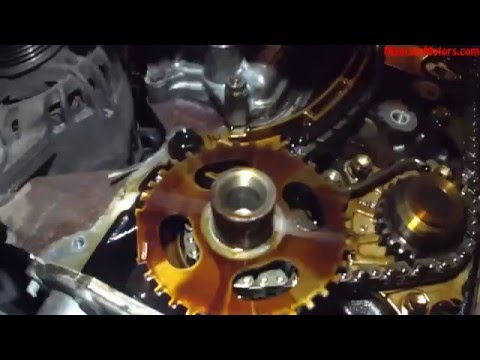
Replacing the timing chain on a Toyota Yaris. Lift the front bonnet and remove the engine cover. Remove the cover above the engine and disconnect all cables on the sides. Remove the plastic cover on the side of the engine. Use a spanner to loosen the chain tensioner roller and pull it out of its seat. Use a socket to unscrew the tensioner securing bolt. Tighten everything with the socket. Refit the engine covers and all chain covers. Test the car's operation. by ScegliAuto More videos
|
|
For advertising on this site Write to info@scegliauto.com
ScegliAuto is not responsible for any inaccuracy of the data in the lists. To report any inaccuracy or your business (if you own the business in question), please write to info@scegliauto.com
Number of seconds to generate the page: 0.052
(c) ScegliAuto 2026 - info@scegliauto.com - Privacy policy VAT number: IT01247470535 |
