
|
Do it yourself
| |||
| ||||


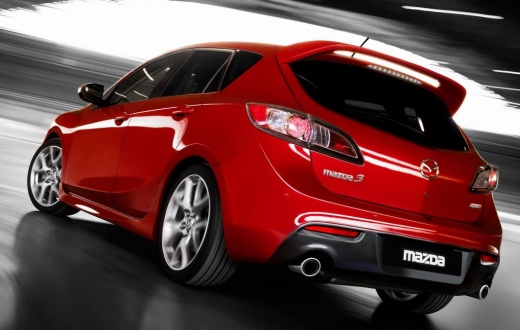
Removing the Radio from a Mazda 3 MK2
Model: Mazda 3
BL, MK 2
- Years:
2009, 2010, 2011, 2012, 2013
Video tutorial
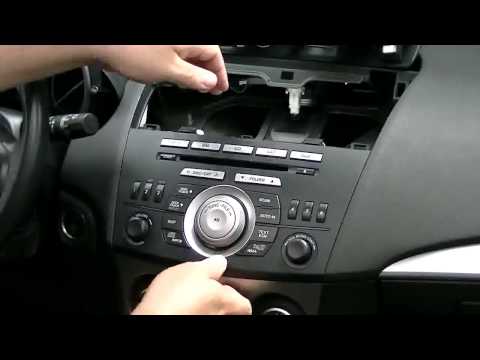
Let's see how to remove the radio from the Mazda 3 if you want to replace it with a model that has better audio features. Using a thin lever, preferably plastic to avoid scratching surfaces, pry along the edge of the air vents above the unit, remove them, and place them on the dashboard. On the top edge of the radio, you will find two screws; unscrew these to unlock the unit and slide it out. Now disconnect the electrical connectors and the antenna cable to completely remove the radio from its position.
Updated on 22 September 2026 by ScegliAuto
Related tutorials
Mazda 3
(2009-2013 /
BL, MK 2)
Removing the car radio from a vehicle can become necessary when you need to check the serial number to enter the unlock code, or if the connector is …

Mazda 3
(2009-2013 /
BL, MK 2)
When the radio suddenly stops working, the cause is usually a blown fuse. To fix the problem, simply replace it. Today, learn how to replace the radi…
Mazda 3
(2009-2013 /
BL, MK 2)
Removing the factory car radio is important if you want to install a better, newer one or if the current one is malfunctioning. It is clipped in plac…
Other guides you may be interested in
|
How to Open the Fuel Filler Flap in the Hyundai i30?
In this tutorial, you will learn how to open the fuel filler flap in the Hyundai i30, a very simple operation that follows the typical procedure of most vehicles. First, unlock the locks using the designated button on the remote, then open the driver's door, locate the release lever on the left side of the seat, and operate it. Next, move to the fuel filler flap, open it completely, unscrew the cap, and refuel as needed. To close the flap, simply press it gently. by ScegliAuto More videos
|
|
For advertising on this site Write to info@scegliauto.com
ScegliAuto is not responsible for any inaccuracy of the data in the lists. To report any inaccuracy or your business (if you own the business in question), please write to info@scegliauto.com
Number of seconds to generate the page: 0.018
(c) ScegliAuto 2026 - info@scegliauto.com - Privacy policy VAT number: IT01247470535 |
