
|
Do it yourself
| |||
| ||||


|
Video tutorial
Do you want to remove and replace the front bonnet but don't know how? Let's see how to open and remove the bonnet of your Mazda 6. Pull the lever located at the bottom left of the steering wheel, then lift the bonnet slightly and pull the release lever. Once the bonnet is released, lift it up and secure it. Now that the bonnet is open, you can proceed with the removal. Unscrew the hinge fixing bolts of the front bonnet with a socket spanner, then remove the windscreen washer fluid circulation pipe. Finally, remove the bonnet from the body of the vehicle (get help to remove it). For reassembly, follow the steps in reverse.
Updated on 25 February 2026 by ScegliAuto
Related tutorials
Mazda 6
(2002-2008 /
GG, MK 1)
Does your car's belt need replacing? In this detailed video, see how to remove and replace the timing belt and tensioner pulley on a Mazda 6. Lift th…

Mazda 6
(2008-2012 /
MK 2, GH)
In this tutorial, you will see how to remove the rear bumper on a Mazda 6, a very simple and quick operation. First, open the boot, then remove the c…
Mazda 6
(2002-2008 /
GG, MK 1)
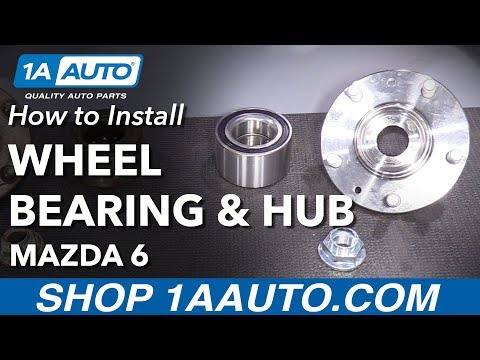
In this video, we will see how to remove a wheel bearing from a Mazda 6. Position your car on a column lift, loosen the bolts with a socket wrench, a…
Other guides you may be interested in
|
How to Open the Fuel Filler Flap in the Hyundai i30?
In this tutorial, you will learn how to open the fuel filler flap in the Hyundai i30, a very simple operation that follows the typical procedure of most vehicles. First, unlock the locks using the designated button on the remote, then open the driver's door, locate the release lever on the left side of the seat, and operate it. Next, move to the fuel filler flap, open it completely, unscrew the cap, and refuel as needed. To close the flap, simply press it gently. by ScegliAuto More videos
|
|
For advertising on this site Write to info@scegliauto.com
ScegliAuto is not responsible for any inaccuracy of the data in the lists. To report any inaccuracy or your business (if you own the business in question), please write to info@scegliauto.com
Number of seconds to generate the page: 0.025
(c) ScegliAuto 2026 - info@scegliauto.com - Privacy policy VAT number: IT01247470535 |
