
|
Do it yourself
| |||
| ||||


Fitting a Glove Compartment on the Volkswagen Vito
Model: Mercedes Vito
MK 3, W447
- Years:
2014, 2015, 2016, 2017, 2018, 2019, 2020, 2021, 2022, 2023, 2024
Video tutorial
Drivers of the Volkswagen Vito often need to have small items within reach, but there is insufficient space to store them safely. You can install this practical glove compartment on the side of the driver's seat. Remove the pressure-fitted cover that conceals the battery. Using a small hammer, insert the two bushings into the two holes in the panel under the seat for mounting. At the bottom of the glove compartment, there are three tabs that must fit into the space left free by the battery cover panel. Insert the pins into the bushings, and the glove compartment is mounted.
Updated on 14 July 2026 by ScegliAuto
Related tutorials
Mercedes Vito
(2003-2013 /
MK 2, W639)
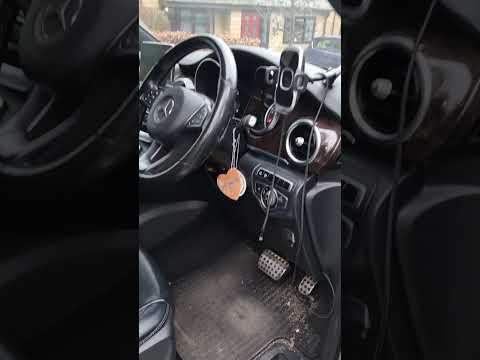
The cabin fan of this fantastic Mercedes MPV is located in the centre of the dashboard, just above the air vents of the central console, where a glov…
Mercedes Vito
(2014-2024 /
MK 3, W447)
If you are curious about the location of the OBD2 port on your Mercedes Vito W447, simply read the following guide carefully and follow all the descr…

Mercedes Vito
(2003-2013 /
MK 2, W639)
Below, we will discover where the OBD port is located inside your Mercedes Vito W639 (2003-2013). This is a very important port that allows you to ea…
Other guides you may be interested in
|
How to reset the tyre pressure warning light on the Kia Niro EV?
To reset the tyre pressure warning light on the Kia Niro EV, inflate the tyres until they reach the correct pressure value. This value is indicated on the sticker attached to the driver's door pillar. Once the tyres are inflated, turn on the instrument cluster to check that the warning light has completely disappeared from the display. If it is still present, you may need to drive for a few miles to ensure it disappears completely from the screen. by ScegliAuto More videos
|
|
For advertising on this site Write to info@scegliauto.com
ScegliAuto is not responsible for any inaccuracy of the data in the lists. To report any inaccuracy or your business (if you own the business in question), please write to info@scegliauto.com
Number of seconds to generate the page: 0.054
(c) ScegliAuto 2026 - info@scegliauto.com - Privacy policy VAT number: IT01247470535 |
