
|
Do it yourself
| |||
| ||||


How to Set Up ACC and ICA on MG ZS
Model: MG ZS
MK 2
- Years 2024-2026
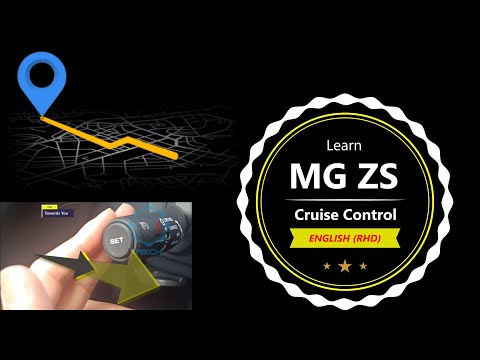
Let's see how to use Adaptive Cruise Control (ACC) and Intelligent Cruise Assistance (ICA) on the MG ZS: set up the car before starting. From the multimedia screen, go to "MG Pilot", where you will find options for "Intelligent Drive", and make sure the options are activated. The ACC maintains the set speed and automatically adjusts the speed to keep a safe distance from the car in front. Reach the desired speed, press "Set" on the left side of the steering wheel, and a blue icon with the set speed will appear. Use the up/down lever to adjust the set speed: one click corresponds to 1 mi; holding it down adjusts by 5 mi +/-. To adjust the safe distance, use the right/left button on the steering wheel: right = increase distance; left = decrease distance. The function temporarily deactivates when pressing the brake and reactivates by pressing the lever up (RES+). The "Cancel" button completely disables it. The ICA adds active lane centering to the ACC. Hold the corresponding button on the steering wheel, and a light with a steering wheel and blue lines will turn on: ACC+ICA active. The power steering system is not autonomous; you must keep your hands on the wheel, or the system will deactivate with a warning.
Posted on 29 March 2026 by ScegliAuto
Video tutorial
Related tutorials
MG ZS
(2024-2026 /
MK 2)
Cruise control is an electronic device that allows you to limit the speed of a vehicle, preventing it from being inadvertently exceeded and reducing …
MG ZS
(2017-2024 /
Zs11)
Today's guide shows you how to properly use the cruise control on the MG ZS, following the instructions below. First, get in the vehicle and start dr…

MG ZS
(2017-2024 /
Zs11)
To manually change the time displayed on the instrument panel of your MG ZS, simply follow the following procedure. First of all, get into the car an…
Other guides you may be interested in
|
How to Check the Oil Level on a Jeep Renegade?
To check the oil level on a Jeep Renegade, you need to open the bonnet to access the components inside the engine bay: on the lower left side of the engine block, you will find the dipstick for checking the level. This should be pulled out and thoroughly cleaned with a cloth: once cleaned, reinsert it back into its tube and pull it out immediately after. This way, you can check that the oil mark is between the minimum and maximum levels; finally, you can place the dipstick back in its tube. by ScegliAuto More videos
|

|
For advertising on this site Write to info@scegliauto.com
ScegliAuto is not responsible for any inaccuracy of the data in the lists. To report any inaccuracy or your business (if you own the business in question), please write to info@scegliauto.com
Number of seconds to generate the page: 0.627
(c) ScegliAuto 2026 - info@scegliauto.com - Privacy policy VAT number: IT01247470535 |
