
|
Do it yourself
| |||
| ||||


How to Replace the Rear Window Switch on a Nissan Altima
Model: Nissan Altima
L32
- Years:
2007, 2008, 2009, 2010, 2011, 2012
Video tutorial
The window switch may break or get stuck in one position; replacement is necessary to prevent it from being activated accidentally or from burning out the motor if left on. To replace it, you only need a flathead screwdriver and a new switch. Use the screwdriver to pry under the cover plastic. Remove the plastic and disconnect the switch connector. Expand the retaining tabs and detach the switch. Take the new switch and insert it until the tabs click into place. Reconnect the electrical connector and reinsert the plastic cover. Power the electrical system through the ignition switch and test the operation.
Updated on 1 June 2026 by ScegliAuto
Related tutorials
Nissan Altima
(2007-2012 /
L32)
In order to replace the window switch panel of the Nissan Altima, you need to pry it out with an object, so that you can detach the fabric covering l…
Nissan Altima
(2007-2012 /
L32)
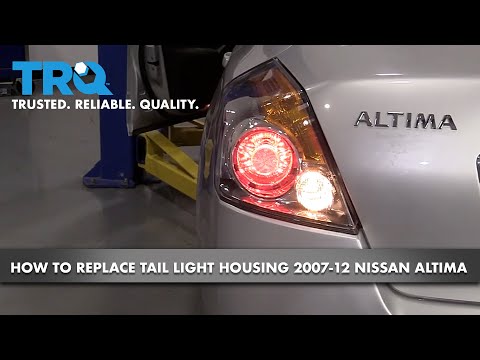
Here is the guide on how to disassemble and replace the tail light and its bulbs on the Nissan Altima. First, open the trunk lid and start removing t…

Nissan Altima
(2007-2012 /
L32)
If the window regulators in your Nissan Altima suddenly stop working, first check the status of the respective fuses, the location of which is indica…
Other guides you may be interested in
|
How to reset the tyre pressure warning light on the Kia Niro EV?
To reset the tyre pressure warning light on the Kia Niro EV, inflate the tyres until they reach the correct pressure value. This value is indicated on the sticker attached to the driver's door pillar. Once the tyres are inflated, turn on the instrument cluster to check that the warning light has completely disappeared from the display. If it is still present, you may need to drive for a few miles to ensure it disappears completely from the screen. by ScegliAuto More videos
|
|
For advertising on this site Write to info@scegliauto.com
ScegliAuto is not responsible for any inaccuracy of the data in the lists. To report any inaccuracy or your business (if you own the business in question), please write to info@scegliauto.com
Number of seconds to generate the page: 0.039
(c) ScegliAuto 2026 - info@scegliauto.com - Privacy policy VAT number: IT01247470535 |
