
|
Do it yourself
| |||
| ||||


Instructions for Replacing the Cabin Fan
Model: Peugeot 206
MK 1
- Years:
1998, 1999, 2000, 2001, 2002, 2003, 2004, 2005, 2006, 2007, 2008, 2009
Video tutorial
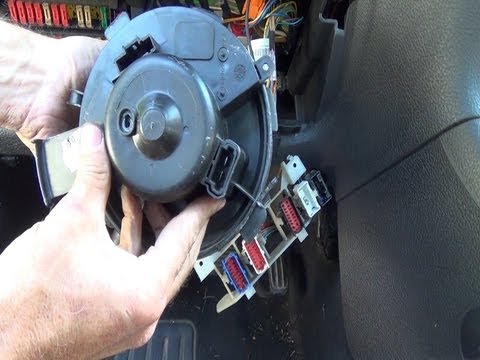
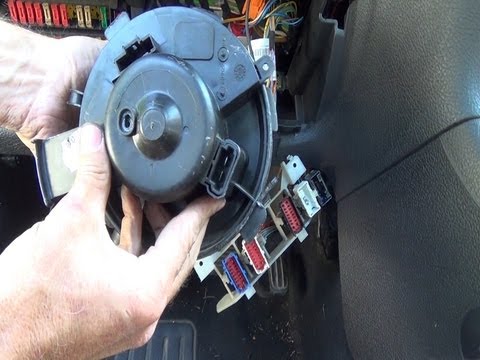
The cabin fan, complete with drive motor, is located behind the central tunnel console on the driver's side. To remove it, create space by dismantling the connection joint of the steering column to the steering box (during this step, engage the steering lock to prevent the steering wheel from rotating freely, which could damage the airbag ribbon), the protective panel of the fuse keyboard, and the connector terminal. Once these elements are removed, disconnect the plugs connected to the fan motor, rotate it anti-clockwise to release it, and then extract it from its housing. Proceed in reverse for the installation of the new one.
Updated on 14 February 2026 by ScegliAuto
Related tutorials
Peugeot 206
(1998-2012 /
MK 1)
The cabin fan installed on the Peugeot 206 can be replaced by loosening the screws that secure the trim panel located on the side of the driver's foo…
Peugeot 206
(1998-2012 /
MK 1)
How do you remove the cabin ventilation fan from a Peugeot 206? The cabin ventilation fan is located directly under the steering column; use a socket…
Peugeot 206
(1998-2012 /
MK 1)
In today's tutorial, you will learn how to remove the heating fan from the cabin of a Peugeot 206. First, access the inside of the car and remove the…
Other guides you may be interested in
|
How to reset the tyre pressure warning light on the Kia Niro EV?
To reset the tyre pressure warning light on the Kia Niro EV, inflate the tyres until they reach the correct pressure value. This value is indicated on the sticker attached to the driver's door pillar. Once the tyres are inflated, turn on the instrument cluster to check that the warning light has completely disappeared from the display. If it is still present, you may need to drive for a few miles to ensure it disappears completely from the screen. by ScegliAuto More videos
|
|
For advertising on this site Write to info@scegliauto.com
ScegliAuto is not responsible for any inaccuracy of the data in the lists. To report any inaccuracy or your business (if you own the business in question), please write to info@scegliauto.com
Number of seconds to generate the page: 0.203
(c) ScegliAuto 2026 - info@scegliauto.com - Privacy policy VAT number: IT01247470535 |
