
|
Do it yourself
| |||
| ||||


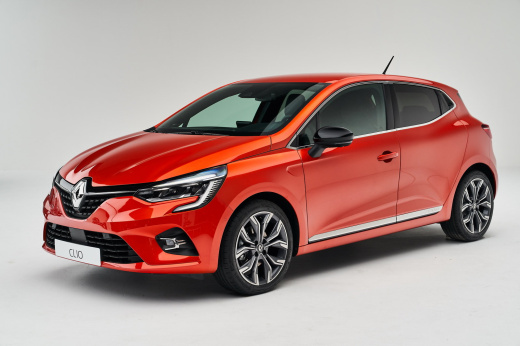
How to disassemble the UCH/BCM of a Renault Clio
Model: Renault Clio
Clio V, Clio 5
- Years:
2019, 2020, 2021, 2022, 2023, 2024, 2025, 2026
Video tutorial
In this video we can see how to disassemble the UCH/BCM of a Renault Clio. The UCH is the Hydraulic Control Unit and the BCM is the Body Control Module, so these two systems are the brain that manages the electronic functions of the car, such as central locking, electric windows, automatic activations in general, steering wheel controls, etc. This module is located under the glove compartment, and as always when dealing with something electrical, it is always better to first deactivate the battery. We need to remove the door sill, and also the cover of the dashboard thickness, where the fuses are, and in the space we have created we find the module, supported by a bracket. It is not easy to remove it from its housing, and to extract it we also need a bit of force, but the video at least shows us how it is made, so we can recognize it.
Posted on 10 July 2025 by ScegliAuto
Related tutorials
Renault Clio
(1998-2005 /
MK 2, Clio 2)
The UCH unit of the Renault Clio 2, which we can see disassembled in the video provided, plays an important role in the vehicle, and now we will expl…

Renault Clio
(2005-2013 /
Clio 3, MK 3, Clio III)
The immobiliser on the Renault Clio III is a security system that can have known issues. It communicates between the key and the engine control unit …

Renault Clio
(2012-2019 /
Clio IV, Clio 4, MK 4)
In this video we can see how to permanently deactivate the Start & Stop on a Renault Clio IV: first we look for the EOBD socket located in the centra…
Other guides you may be interested in
|
How to Set the Time in an Audi A4?
In this tutorial, you will see how to set the time in an Audi A4, a very simple and quick operation to perform after replacing the battery or when the time changes. First, insert the key and turn on the instrument cluster. Then, press the "SETUP" button located on the center console. Next, press the upper left arrow button, navigate to the "Time" option, and use the central knob to adjust the clock. Finally, set any necessary formats and save by returning to the main screen. by ScegliAuto More videos
|
|
For advertising on this site Write to info@scegliauto.com
ScegliAuto is not responsible for any inaccuracy of the data in the lists. To report any inaccuracy or your business (if you own the business in question), please write to info@scegliauto.com
Number of seconds to generate the page: 0.078
(c) ScegliAuto 2026 - info@scegliauto.com - Privacy policy VAT number: IT01247470535 |
