
|
Do it yourself
| |||
| ||||


Disassembly of Key Remote for Repair
Model: Renault Megane
Megane 2
- Years:
2002, 2003, 2004, 2005, 2006, 2007, 2008, 2009, 2010
Video tutorial
When a fault occurs in the remote, it becomes impossible to open and close the doors remotely. Fortunately, using the mechanical key allows access to the vehicle. Daily use of the remote may cause wear on internal components, especially on the solder joints between the battery contacts, buttons, and the printed circuit board. To resolve this issue, disassemble the remote and extract the printed circuit board. The most delicate part is separating the two halves, as they are soldered together. Using a small saw, cut longitudinally around the remote until the two parts are separated. Using a small electronics soldering iron and suitable solder, completely redo the solder joints. If the plastic casing is damaged, it can also be replaced.
Updated on 7 February 2026 by ScegliAuto
Related tutorials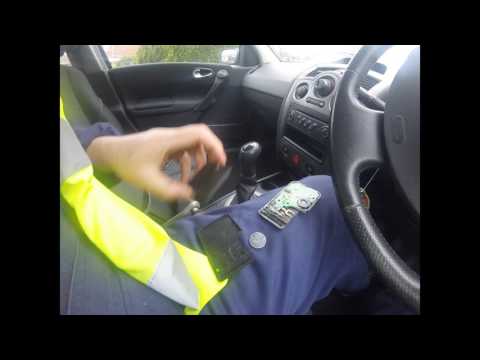
Renault Megane
(2002-2010 /
Megane 2)
This guide outlines the steps to repair the remote control of the Renault Megane. First, take your electronic key and start by detaching and removing…

Renault Megane
(2002-2010 /
Megane 2)
In this video, we see that the key opens and closes the doors but does not start the car. The system does not recognise the key inside the cabin. The…

Renault Megane
(2002-2010 /
Megane 2)
Remove the back part of the key. Hold the key in one hand. With one hand holding the key, use the other to slide the flap towards the shorter side. R…
Other guides you may be interested in
|
How to reset the tyre pressure warning light on the Kia Niro EV?
To reset the tyre pressure warning light on the Kia Niro EV, inflate the tyres until they reach the correct pressure value. This value is indicated on the sticker attached to the driver's door pillar. Once the tyres are inflated, turn on the instrument cluster to check that the warning light has completely disappeared from the display. If it is still present, you may need to drive for a few miles to ensure it disappears completely from the screen. by ScegliAuto More videos
|
|
For advertising on this site Write to info@scegliauto.com
ScegliAuto is not responsible for any inaccuracy of the data in the lists. To report any inaccuracy or your business (if you own the business in question), please write to info@scegliauto.com
Number of seconds to generate the page: 0.118
(c) ScegliAuto 2026 - info@scegliauto.com - Privacy policy VAT number: IT01247470535 |
