
|
Do it yourself
| |||
| ||||


How to Reset the Emission System Warning Light on the Renault Trafic
Model: Renault Trafic
MK 3
- Years 2014-2026
In this video, learn how to reset the emission warning light on the Renault Master or Trafic, applicable to all Renault vehicles. When this light comes on, it may be accompanied by a loss of power due to a clogged catalyst, an EGR valve issue, or an injection problem. To diagnose the fault, connect an OBD scanner to the EOBD port. The YouTuber shows a DIY scanner available on Amazon with code B07NXTJL1P for £29.99 plus £6.21 shipping, as well as a professional scanner. The EOBD port is located on the left side of the steering wheel, at the bottom of the dashboard, near the fuses. In this case, the connection is made using the professional scanner, but the procedure is the same: identify the make and model of the vehicle, then go to diagnostics. First, perform an automatic scan that will read all the error codes as the system finds them, and it finds several. Clear all errors since this vehicle has been stationary for a long time. It starts up without the warning light, but perform another scan to see if any error codes reappear, and then a road test will resolve all issues. In this case, no errors reappeared, but only because it had been stationary for a long time. Clearing the errors was sufficient to restore normal operation.
Updated on 14 September 2026 by ScegliAuto
Video tutorial
Related tutorials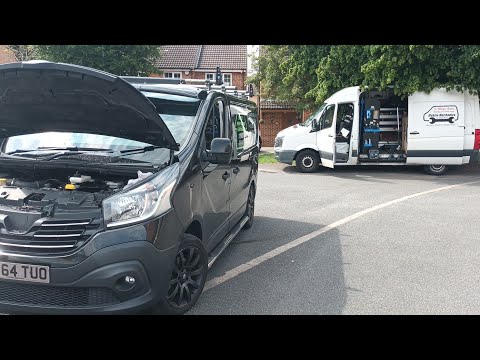
Renault Trafic
(2014-2026 /
MK 3)
In order to reset the pollution warning light on the Renault Trafic, you need to turn on the instrument panel by inserting the ignition key into the …
Renault Trafic
(2014-2026 /
MK 3)
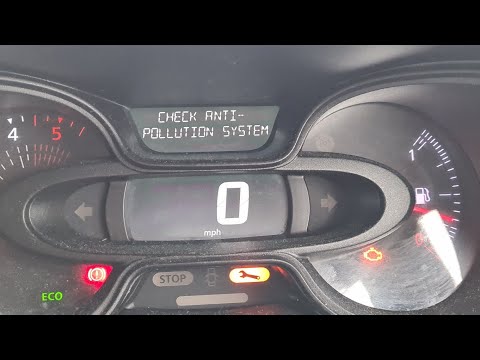
In order to reset the pollution control system warning light that appears on the instrument panel of the Renault Trafic, there is no single procedure…
Renault Trafic
(2001-2014 /
MK 2)
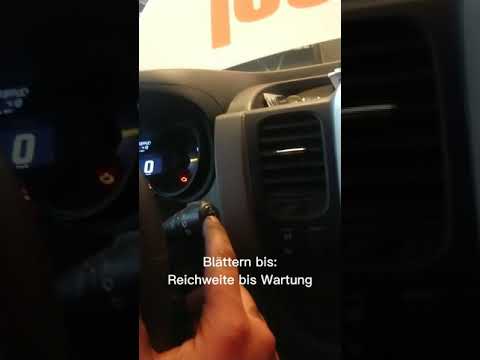
The procedure required to manually reset the service light on your 2014 Renault Trafic is practically identical to that used in many other Renault mo…
Other guides you may be interested in
|
How to Check the Oil Level on a Jeep Renegade?
To check the oil level on a Jeep Renegade, you need to open the bonnet to access the components inside the engine bay: on the lower left side of the engine block, you will find the dipstick for checking the level. This should be pulled out and thoroughly cleaned with a cloth: once cleaned, reinsert it back into its tube and pull it out immediately after. This way, you can check that the oil mark is between the minimum and maximum levels; finally, you can place the dipstick back in its tube. by ScegliAuto More videos
|
For advertising on this site Write to info@scegliauto.com
ScegliAuto is not responsible for any inaccuracy of the data in the lists. To report any inaccuracy or your business (if you own the business in question), please write to info@scegliauto.com
Number of seconds to generate the page: 0.827
(c) ScegliAuto 2026 - info@scegliauto.com - Privacy policy VAT number: IT01247470535 |
