
|
Do it yourself
| |||
| ||||


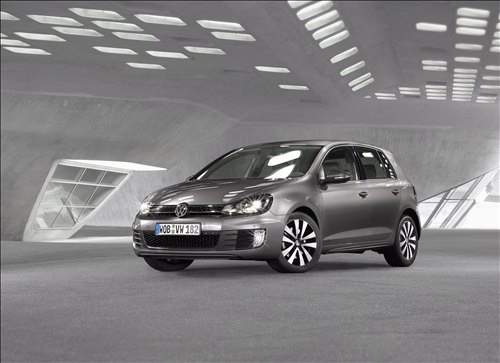
How to Access the Secret Climate Control Menu on Volkswagen
Model: Volkswagen Golf
Golf 6, MK 6, 5K1, Golf VI
- Years:
2008, 2009, 2010, 2011, 2012
Video tutorial
In this video, we will see how to access the secret climate control menu found on many Volkswagen models: insert the key and turn on the ignition, press the "ECON" button (or AC + recirculation air, together). Using the arrows and dials, scroll through the codes that show the temperature of the climate control radiator, the refrigerant gas pressure, a series of error codes, the coolant temperature, the speed, and the engine RPM in real-time. It is also possible to recalibrate the climate control flaps by holding down the "ECON + AC" button for 5 seconds. Pulling down the wiper lever will lift the blades for maintenance; you can unlock the rear hatch from the inside with an emergency hook if the hatch becomes stuck.
Posted on 12 March 2026 by ScegliAuto
Related tutorials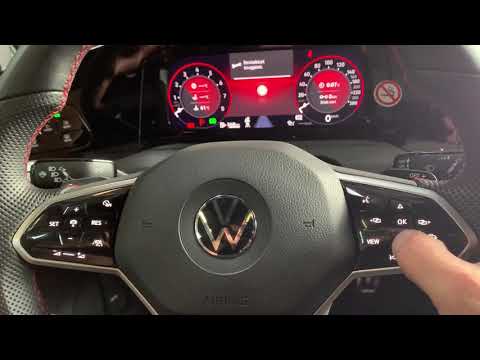
Volkswagen Golf
(2012-2019 /
MK 7, Golf 7, Golf VII)
To perform a manual reset on a Volkswagen Golf 8, start by pressing the OK button on the steering wheel, then press the button on the right to access…

Volkswagen Golf
(2003-2008 /
Golf 5, MK 5, Golf V)
Remove the cabin ventilation fan from a Volkswagen Golf Mk5. The cabin ventilation fan is located directly under the dashboard: remove the plastic ri…

Volkswagen Golf
(2003-2008 /
Golf 5, MK 5, Golf V)
On the vehicle in question, it is possible to reset the climate control system related to airflow deviators. To do this, proceed as follows: turn on …
Other guides you may be interested in
|
How to reset the tyre pressure warning light on the Kia Niro EV?
To reset the tyre pressure warning light on the Kia Niro EV, inflate the tyres until they reach the correct pressure value. This value is indicated on the sticker attached to the driver's door pillar. Once the tyres are inflated, turn on the instrument cluster to check that the warning light has completely disappeared from the display. If it is still present, you may need to drive for a few miles to ensure it disappears completely from the screen. by ScegliAuto More videos
|
|
For advertising on this site Write to info@scegliauto.com
ScegliAuto is not responsible for any inaccuracy of the data in the lists. To report any inaccuracy or your business (if you own the business in question), please write to info@scegliauto.com
Number of seconds to generate the page: 0.099
(c) ScegliAuto 2026 - info@scegliauto.com - Privacy policy VAT number: IT01247470535 |
