
|
Do it yourself
| |||
| ||||


How to replace the coolant thermostat on a Volkswagen Golf IV
Model: Volkswagen Golf
Golf IV, Golf 4, MK 4
- Years:
1997, 1998, 1999, 2000, 2001, 2002, 2003
Video tutorial
Let’s see how to replace the thermostat on a Volkswagen Golf IV (also known as Bora): The work should be done with the engine cold, and it is advisable to disconnect the negative terminal of the battery; place a container under the radiator, open the cap of the expansion tank, and drain the fluid. The thermostat is located at the bottom, on the right side of the engine and is covered by other components. You will need to remove the lower timing cover, move the secondary air pump, which is secured with a few 10mm bolts. It is also helpful to loosen the engine mount and then lift it with a jack: this will give you more space. Disconnect the cooling hose entering the thermostat and drain the residual fluid; remove the thermostat housing, and then use a flat screwdriver to remove it. Clean the seat thoroughly, removing any traces of the old gasket. Insert the new thermostat - which can be found on Amazon with the code B0DRYL5K2P for £14.99, with free one-day delivery for Prime customers - with the new gasket into its housing. Reconnect the cooling hose and reassemble all components that were removed or moved from their place. Close the radiator drain cap and pour in the coolant according to the manufacturer's specifications, into the expansion tank up to the "max" mark. Now, you need to bleed the air by leaving the expansion tank cap open and starting the engine at idle. Set the fan to maximum temperature and minimum speed; the fluid level will drop, and you will need to add fluid to maintain it at the max level. When the engine reaches operating temperature and the radiator fan activates, the air has been bled.
Posted on 24 April 2026 by ScegliAuto
Related tutorials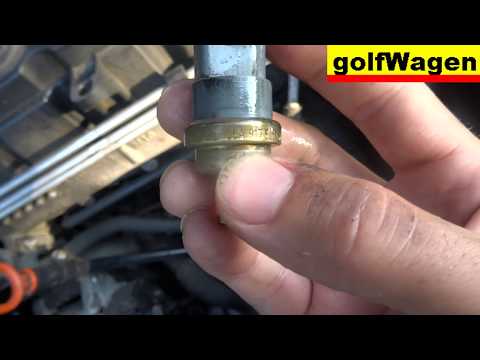
Volkswagen Golf
(2003-2008 /
Golf 5, MK 5, Golf V)
Before starting, open the bonnet of your Volkswagen Golf. Begin by disconnecting the relevant electrical connector. Next, using pliers, unclip and re…

Volkswagen Golf
(2003-2008 /
Golf 5, MK 5, Golf V)
In this video tutorial, you can see how to reset the airbag light on the Golf 5 by following simple steps that will guide you to proper vehicle manag…

Volkswagen Golf
(2008-2012 /
Golf 6, MK 6, 5K1, Golf VI)
Before you can start, open the front door of your Volkswagen Golf. Begin by unscrewing and removing the Torx bolts that secure the seat rails to the …
Other guides you may be interested in
|
How to Set the Time in an Audi A4?
In this tutorial, you will see how to set the time in an Audi A4, a very simple and quick operation to perform after replacing the battery or when the time changes. First, insert the key and turn on the instrument cluster. Then, press the "SETUP" button located on the center console. Next, press the upper left arrow button, navigate to the "Time" option, and use the central knob to adjust the clock. Finally, set any necessary formats and save by returning to the main screen. by ScegliAuto More videos
|
|
For advertising on this site Write to info@scegliauto.com
ScegliAuto is not responsible for any inaccuracy of the data in the lists. To report any inaccuracy or your business (if you own the business in question), please write to info@scegliauto.com
Number of seconds to generate the page: 0.081
(c) ScegliAuto 2026 - info@scegliauto.com - Privacy policy VAT number: IT01247470535 |
