
|
Do it yourself
| |||
| ||||


Engine Oil and All Filter Replacement
Model: Volkswagen Golf
MK 5, Golf 5, Golf V
- Years 2003-2008
Remove the splash guard, place a suitable container under the oil sump, and unscrew the plug to drain the used oil; then remove the plastic cover on top of the engine and unscrew the cap of the oil cartridge container: pull it out and insert the new one, applying the new O-ring seals included in the kit. Then fill the engine with new oil according to the quantities and SAE specifications indicated in the owner's manual. Next, proceed with the replacement of the fuel filter cartridge: it is located at the front right, just behind the headlamp; unscrew the four screws and remove the old cartridge to replace it with the new one (empty the container to eliminate any residues at the bottom and refill it with fuel to assist starting).
Complete the service with the replacement of the engine air filter and the cabin filter: the latter is located on the passenger side, at the end of the scuff plate.
Updated on 6 February 2026 by ScegliAuto
Video tutorial
Related tutorials
Volkswagen Golf
(2003-2008 /
MK 5, Golf 5, Golf V)
In this brief guide, you will learn how to remove and replace the engine oil level sensor on a Volkswagen Golf. First, place the motorcycle on a stan…

Volkswagen Golf
(2003-2008 /
MK 5, Golf 5, Golf V)
In this guide, we will see the main instructions on how to remove and replace the engine oil sensor tube on a Volkswagen Golf 1.6. First, open the bo…
Volkswagen Golf
(1997-2003 /
Golf IV, MK 4, Golf 4)
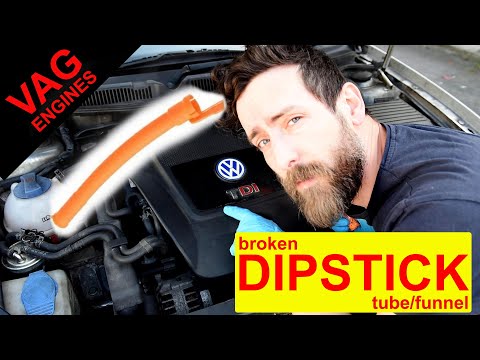
Today, in this tutorial, you will learn how to replace the dipstick tube on a fourth-generation Volkswagen Golf. First, open and lift the bonnet and …
Other guides you may be interested in
|
Frequently Asked QuestionsHow to set the clock on the Opel Zafira
Setting the clock to the current Italian time on an Opel Zafira model B vehicle is a very simple operation, which can also be done independently thanks to our short instructional video. The first thing to do is to turn on the instrument panel and then press the SETTING button, located on the central dashboard. Once inside the menu, use the buttons to navigate to the clock setting. Change the hours and minutes and restart the instrument panel. If the clock is not updated, a diagnosis may be necessary at the radio or vehicle control unit. by ScegliAuto More videos
|
|
For advertising on this site Write to info@scegliauto.com
ScegliAuto is not responsible for any inaccuracy of the data in the lists. To report any inaccuracy or your business (if you own the business in question), please write to info@scegliauto.com
Number of seconds to generate the page: 0.139
(c) ScegliAuto 2026 - info@scegliauto.com - Privacy policy VAT number: IT01247470535 |
