
|
Do it yourself
| |||
| ||||


Replacing the Rear Wheel Bearing on a Volkswagen Polo
Model: Volkswagen Polo
MK IV, Polo IV, Polo 4, MK 4, 9N
- Years 2001-2009
This tutorial shows how to remove and replace the rear wheel bearing on a Volkswagen Polo. First, lift the vehicle and remove the rear wheel by unscrewing the bolts; then unscrew the bolts securing the brake caliper using a socket spanner. Next, unscrew the bolts securing the brake disc and remove it; then remove the hub cover and unscrew the central bolt with a socket spanner. Finally, extract the bearing and replace it with the new one, as shown in the video!
Updated on 1 April 2026 by ScegliAuto
Video tutorial
Related tutorials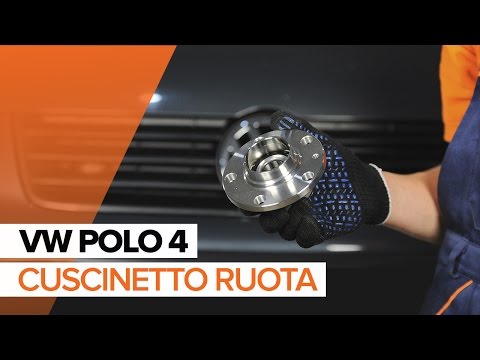
Volkswagen Polo
(2001-2009 /
MK IV, Polo IV, Polo 4, MK 4, 9N)
If you hear a noise similar to a buzzing coming from the rear of the vehicle, which increases in corners as the load on the wheel increases, the rear…
Volkswagen Polo
(2009-2017 /
Polo 5, Polo V, MK 5, MK V, 6R)
In today's tutorial, you will see the instructions to remove and replace the wheel with the spare on a Volkswagen Polo in simple and quick steps. Fir…
Volkswagen Polo
(2001-2009 /
MK IV, Polo IV, Polo 4, MK 4, 9N)
Before you start, open the boot of your Volkswagen Polo to retrieve the spare wheel and the jack provided in the basic kit. Begin by lifting the fron…
Other guides you may be interested in
|
How to reset the tyre pressure warning light on the Dacia Sandero?
To reset the tyre pressure warning light on the Dacia Sandero, inflate all the tyres to the pressure indicated on the label on the driver's door. Once the tyres are inflated, turn on the ignition and navigate through the menu using the controls on the right side of the steering wheel. Scroll with the arrows to find the tyre pressure option: by holding down the OK button located on the right side of the steering wheel, you can reset the warning light. by ScegliAuto More videos
|
|
For advertising on this site Write to info@scegliauto.com
ScegliAuto is not responsible for any inaccuracy of the data in the lists. To report any inaccuracy or your business (if you own the business in question), please write to info@scegliauto.com
Number of seconds to generate the page: 0.073
(c) ScegliAuto 2026 - info@scegliauto.com - Privacy policy VAT number: IT01247470535 |
