
|
Do it yourself
| |||
| ||||


Replacement of Camshaft
Model: Volkswagen Golf
Golf IV, MK 4, Golf 4
- Years 1997-2003
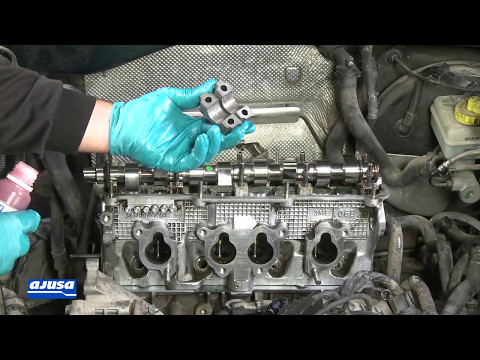
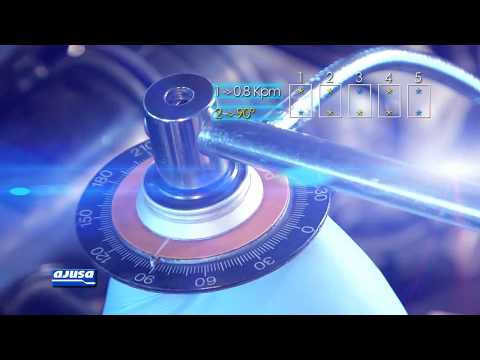
Replacing the camshaft is a task reserved for specialists as it requires experience and appropriate dedicated equipment. After removing the valve cover, begin by using the appropriate puller to remove the timing pulley. Next, detach the five brackets holding the camshaft using a ratchet spanner. You can now remove the camshaft. Replace the camshaft supports, which should be lubricated beforehand with the appropriate product. Now insert the new camshaft onto the supports in the correct position. Refit the retaining brackets and the toothed pulley.
Updated on 6 February 2026 by ScegliAuto
Video tutorial
Related tutorials
Volkswagen Golf
(2003-2008 /
MK 5, Golf 5, Golf V)
Today's main instructions will show us how to disassemble and replace the camshaft of the Volkswagen Golf Plus 1.9 TDI. First, we get on board the ca…
Volkswagen Golf
(1997-2003 /
Golf IV, MK 4, Golf 4)
Thoroughly lubricate the valve guide tappets and the tappets themselves with clean oil before inserting them into their respective seats; similarly, …
Volkswagen Golf
(1997-2003 /
Golf IV, MK 4, Golf 4)
First, generously lubricate the new tappet cups before inserting them into their respective valve control seats, apply the new bearings to the camsha…
Other guides you may be interested in
|
Fuses Location and Diagram for the Volkswagen Crafter
In this guide, we will look at the location of the fuse boxes and how to find their diagram for the Volkswagen Crafter. First, get inside the vehicle and start by removing the plastic cover found under the steering wheel, to access the internal fuse box; you will find another fuse box in the engine compartment by removing the plastic cover located next to the battery. At this point, use the owner's manual to find the fuse diagram, which will allow you to identify and replace any blown fuses with new ones! by ScegliAuto More videos
|
|
For advertising on this site Write to info@scegliauto.com
ScegliAuto is not responsible for any inaccuracy of the data in the lists. To report any inaccuracy or your business (if you own the business in question), please write to info@scegliauto.com
Number of seconds to generate the page: 0.110
(c) ScegliAuto 2026 - info@scegliauto.com - Privacy policy VAT number: IT01247470535 |
