
|
Do it yourself
| |||
| ||||


Camshaft and Tappet Installation
Model: Volkswagen Golf
Golf IV, Golf 4, MK 4
- Years:
1997, 1998, 1999, 2000, 2001, 2002, 2003
Video tutorial
Thoroughly lubricate the valve guide tappets and the tappets themselves with clean oil before inserting them into their respective seats; similarly, lubricate the sliding surfaces of the camshaft, then position the camshaft and secure it with the relevant brackets after lubricating them, tightening the fixing bolts with a torque wrench following a cross-tightening pattern; then lubricate the oil seal seat and insert it with the sealing lip facing inwards; apply the fixing key of the toothed pulley and secure the pulley to the camshaft by tightening the fixing bolt; finally, align the timing marks and install the timing belt.
Updated on 14 February 2026 by ScegliAuto
Related tutorials
Volkswagen Golf
(1997-2003 /
Golf IV, Golf 4, MK 4)
Replacing the camshaft is a task reserved for specialists as it requires experience and appropriate dedicated equipment. After removing the valve cov…

Volkswagen Golf
(2003-2008 /
Golf 5, MK 5, Golf V)
Today's main instructions will show us how to disassemble and replace the camshaft of the Volkswagen Golf Plus 1.9 TDI. First, we get on board the ca…
Volkswagen Golf
(1997-2003 /
Golf IV, Golf 4, MK 4)
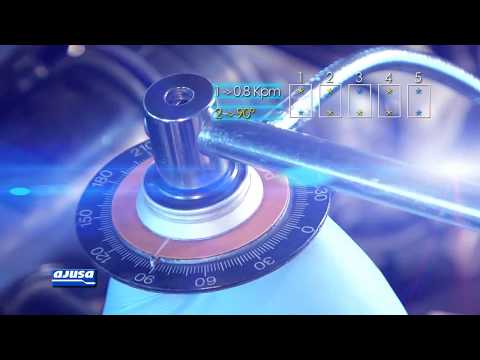
First, generously lubricate the new tappet cups before inserting them into their respective valve control seats, apply the new bearings to the camsha…
Other guides you may be interested in
|
How to reset the tyre pressure warning light on the Kia Niro EV?
To reset the tyre pressure warning light on the Kia Niro EV, inflate the tyres until they reach the correct pressure value. This value is indicated on the sticker attached to the driver's door pillar. Once the tyres are inflated, turn on the instrument cluster to check that the warning light has completely disappeared from the display. If it is still present, you may need to drive for a few miles to ensure it disappears completely from the screen. by ScegliAuto More videos
|
|
For advertising on this site Write to info@scegliauto.com
ScegliAuto is not responsible for any inaccuracy of the data in the lists. To report any inaccuracy or your business (if you own the business in question), please write to info@scegliauto.com
Number of seconds to generate the page: 0.188
(c) ScegliAuto 2026 - info@scegliauto.com - Privacy policy VAT number: IT01247470535 |
