
|
Do it yourself
| |||
| ||||


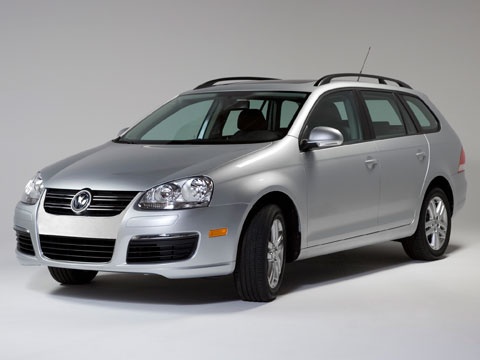
Removal and Cleaning of the Intake Manifold
Model: Volkswagen Jetta
MK 5, A5
- Years:
2005, 2006, 2007, 2008, 2009, 2010
Video tutorial
To begin the removal of the intake manifold, first remove the plastic cover on the engine and the air filter housing. At this point, you can start disassembling the manifold by removing all the fixing screws, including the support brackets for the wiring; to unscrew some of these screws, you may also need to remove the oil filter: however, once the screws are removed, it is advisable to reposition the filter to prevent anything from falling inside. Once the manifold is disassembled, extract the deflectors from the intake ports and remove carbon deposits using a wire brush, then wash and vacuum the dirt to avoid it getting into the valve seats. Next, brush the deflectors, wash them, and refit them. Replace the injector seals and refit the intake manifold in reverse order.
Updated on 8 February 2026 by ScegliAuto
Related tutorials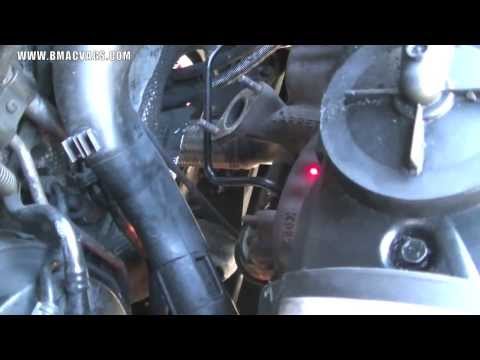
Volkswagen Jetta
(1998-2005 /
A4, MK 4)
It is recommended to perform this operation with the engine cold, as you will be handling components near the exhaust manifold where the turbocharger…

Volkswagen Jetta
(2005-2010 /
MK 5, A5)
The following guide shows how to replace the MAF sensor. The acronym stands for: Mass Air Flow/Intake Air Temperature. The first step, as shown in th…

Volkswagen Jetta
(2005-2010 /
MK 5, A5)
To remove the front bumper, open the bonnet and start by removing the central trim, which includes the chrome part and the plastic grille attached to…
Other guides you may be interested in
|
How to reset the tyre pressure warning light on the Kia Niro EV?
To reset the tyre pressure warning light on the Kia Niro EV, inflate the tyres until they reach the correct pressure value. This value is indicated on the sticker attached to the driver's door pillar. Once the tyres are inflated, turn on the instrument cluster to check that the warning light has completely disappeared from the display. If it is still present, you may need to drive for a few miles to ensure it disappears completely from the screen. by ScegliAuto More videos
|
|
For advertising on this site Write to info@scegliauto.com
ScegliAuto is not responsible for any inaccuracy of the data in the lists. To report any inaccuracy or your business (if you own the business in question), please write to info@scegliauto.com
Number of seconds to generate the page: 0.081
(c) ScegliAuto 2026 - info@scegliauto.com - Privacy policy VAT number: IT01247470535 |
