
|
Do it yourself
| |||
| ||||


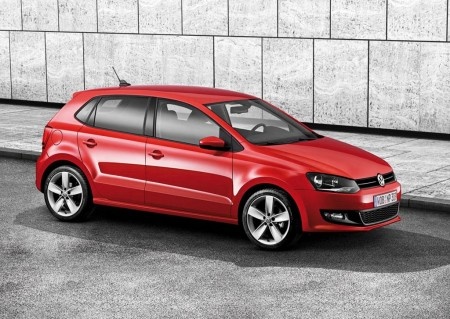
How to Remove and Replace the Logo on a Volkswagen Polo?
Model: Volkswagen Polo
6R, MK V, Polo 5, Polo V, MK 5
- Years:
2009, 2010, 2011, 2012, 2013, 2014, 2015, 2016, 2017
Video tutorial
This short video tutorial explains all the steps you should take if you want to remove, and possibly replace, the logo located on the rear of your Volkswagen Polo, specifically on the boot release lever. You may want to change the colour or model of your logo, or it may happen that your Volkswagen symbol (a circle with a w inside) gets damaged or worn out. To remove it, carefully and evenly pry the logo away from the bodywork, interposing a piece of thick paper between the two surfaces. This operation may take a few minutes (and a good deal of patience).
Updated on 28 April 2026 by ScegliAuto
Related tutorials
Volkswagen Polo
(2009-2017 /
6R, MK V, Polo 5, Polo V, MK 5)
Good morning, today’s goal is to correctly open the rear boot lid of your Volkswagen Polo. Start by exiting the car. Next, press the lock release but…

Volkswagen Polo
(2009-2017 /
6R, MK V, Polo 5, Polo V, MK 5)
On the Volkswagen Polo, the hood opens in two steps. The video starts from the cabin: you go down towards the pedal area on the driver's side and pul…

Volkswagen Polo
(2009-2017 /
6R, MK V, Polo 5, Polo V, MK 5)
The grille is a snap-fit piece and is a single unit, including the frame and vertical grilles. You need to detach the car logo, which is snap-fitted,…
Other guides you may be interested in |
How to reset the tyre pressure warning light on the Kia Niro EV?
To reset the tyre pressure warning light on the Kia Niro EV, inflate the tyres until they reach the correct pressure value. This value is indicated on the sticker attached to the driver's door pillar. Once the tyres are inflated, turn on the instrument cluster to check that the warning light has completely disappeared from the display. If it is still present, you may need to drive for a few miles to ensure it disappears completely from the screen. by ScegliAuto More videos
|
|
For advertising on this site Write to info@scegliauto.com
ScegliAuto is not responsible for any inaccuracy of the data in the lists. To report any inaccuracy or your business (if you own the business in question), please write to info@scegliauto.com
Number of seconds to generate the page: 0.027
(c) ScegliAuto 2026 - info@scegliauto.com - Privacy policy VAT number: IT01247470535 |
