
|
Do it yourself
| |||
| ||||


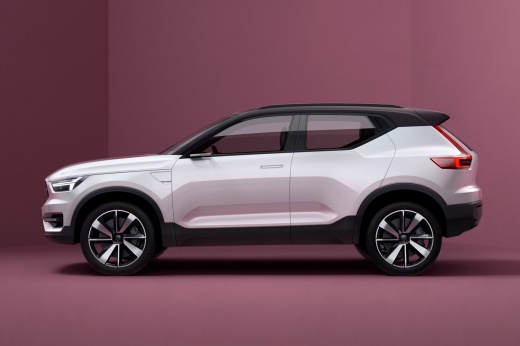
How to Replace the Timing Belt on a Volvo XC40?
Model: Volvo Xc40
MK 1
- Years:
2017, 2018, 2019, 2020, 2021, 2022, 2023, 2024, 2025, 2026
Video tutorial
Hello and welcome back to Scegliauto.com! Today’s goal is to replace the timing belt on our Volvo XC40. Start by opening the hood. Once that’s done, remove the engine sound insulation cover. Next, you will also need to take off the air filter box and the belt cover. It may be helpful to lift the car and remove the right front wheel and the splash shield for better working space. Now, using a socket wrench, loosen the tensioner pulley and remove the timing belt from its position, then install the new timing belt. Once this process is complete, simply retrace these steps in reverse, and you will have successfully replaced the timing belt on your Volvo XC40!
Updated on 28 October 2026 by ScegliAuto
Related tutorials
Volvo Xc40
(2017-2026 /
MK 1)
In this video guide, we will find the answer to the question posed in the subject, that is, how to turn off the maintenance reminder. It includes a w…

Volvo Xc40
(2017-2026 /
MK 1)
If you own a 2023 Volvo XC40 and don't know where the fuse box is located, just read this guide carefully and follow the described procedure. First, …
Volvo Xc40
(2017-2026 /
MK 1)
Today, with the help of this short video tutorial, follow these steps to replace the battery in the remote/key fob of the Volvo XC40. The first step …
Other guides you may be interested in
|
Frequently Asked QuestionsHow to Reset the Tire Pressure Light on a MG ZS?
On the instrument cluster of the MG ZS, the tire pressure light that appears can be reset by inflating the tires to the correct pressure: this value will be indicated on the sticker attached to the driver's door pillar. Once the tires have been properly inflated, you can turn on the instrument cluster and navigate through the menu until you find the option that indicates tire pressure: if this screen shows the new values, the light will turn off; otherwise, you will need to drive for a few miles so that the sensors can read the new values and turn off the light afterward. by ScegliAuto More videos
|
|
For advertising on this site Write to info@scegliauto.com
ScegliAuto is not responsible for any inaccuracy of the data in the lists. To report any inaccuracy or your business (if you own the business in question), please write to info@scegliauto.com
Number of seconds to generate the page: 0.203
(c) ScegliAuto 2026 - info@scegliauto.com - Privacy policy VAT number: IT01247470535 |
