
|
Do it yourself
| |||
| ||||


How to Reset the Service Light on a BMW 320d?
Model: BMW Serie 3
F30, F31
- Years 2012-2019
If you have performed a DIY service on a BMW 320d, produced from 2012 to 2019 (F30, F31), and want to reset the service light on the dashboard, follow these simple steps. Enter the cabin with the keyless key and turn on the ignition by pressing the "Start/Stop Engine" button without starting the engine. Then locate the black button at the bottom left of the dashboard, hold the button until the vehicle display enters the maintenance menu. Next, by clicking the black button, select the item to reset, and once you reach the item to reset, hold the button until the reset is complete.
Updated on 14 April 2026 by ScegliAuto
Video tutorial
Related tutorials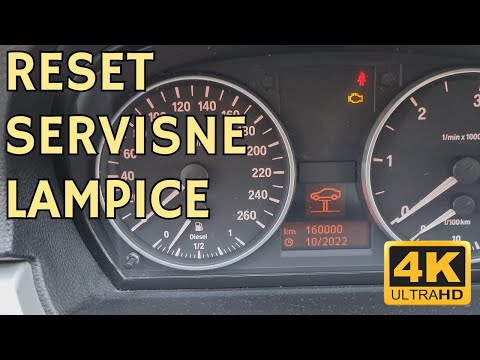
BMW Serie 3
(2005-2013 /
E91, E90, E92)
Whenever you change the engine oil and filter on your vehicle, you must reset the service light that has illuminated on the dashboard. In the video a…

BMW Serie 3
(2005-2013 /
E91, E90, E92)
In this guide, you will find the main instructions to disassemble and replace the timing chain on a BMW 3 Series 320D, engine code N43. First, open t…

BMW Serie 3
(2012-2019 /
F30, F31)
Today's main steps will illustrate the procedure for disassembling and replacing the timing chain of the BMW 3 Series 320D. First, we open the hood o…
Other guides you may be interested in
|
How to reset the tyre pressure warning light on the Suzuki Jimny?
To reset the tyre pressure warning light on the Suzuki Jimny, first inflate the tyres to the pressure value indicated on the corresponding sticker: this is located at the bottom of the driver's door pillar. Once the tyres are inflated, insert the ignition key and turn on the instrument panel: select the screen that indicates the tyre pressures, checking that the values change. After a few seconds, the tyre pressure warning light will automatically turn off. by ScegliAuto More videos
|

|
For advertising on this site Write to info@scegliauto.com
ScegliAuto is not responsible for any inaccuracy of the data in the lists. To report any inaccuracy or your business (if you own the business in question), please write to info@scegliauto.com
Number of seconds to generate the page: 0.885
(c) ScegliAuto 2026 - info@scegliauto.com - Privacy policy VAT number: IT01247470535 |
