
|
Do it yourself
| |||
| ||||


How to Reset the Onboard Computer on a BMW 320 F30
Model: BMW Serie 3
F30, F31
- Years 2012-2019
To reset the service on a BMW 320 F30, turn on the ignition and note the display showing "service due since" for a few seconds; now press and hold the button at the bottom left of the dashboard until the message "brake fluid" appears, continue holding until "vehicle check" appears, press the same button 4 times until "brake fluid" appears, hold the same button until "perform reset?" appears, keep holding until "reset in progress" appears, once finished the green symbol will show. Press the bottom left button 4 more times until "vehicle check" appears, hold the same button until "perform reset" appears and hold again until "reset in progress" appears. When the green symbol appears, the operation is complete and you can turn off the instrument cluster.
Updated on 3 June 2026 by ScegliAuto
Video tutorial
Related tutorials
BMW Serie 3
(2012-2019 /
F30, F31)
In this video tutorial, you will see the main instructions on how to disassemble and replace the onboard computer or display on a BMW 3 Series F30. F…

BMW Serie 3
(2012-2019 /
F30, F31)
A tutorial on how to replace the timing chain on a BMW 320 F30 is always very interesting. While changing the timing belt is a complex job, replacing…
BMW Serie 3
(2012-2019 /
F30, F31)
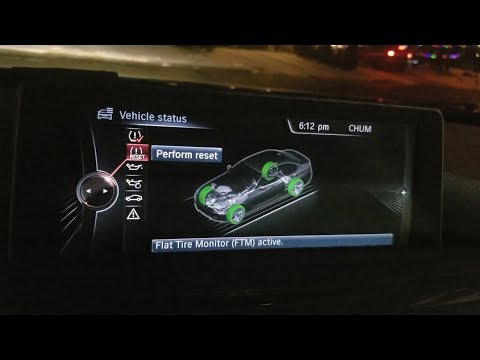
In the BMW 3 Series F30, as well as in other car models, after restoring the correct tire pressure, you need to manually reset the warning light. The…
Other guides you may be interested in
|
Frequently Asked QuestionsHow to reset the tyre pressure warning light on the Suzuki Jimny?
To reset the tyre pressure warning light on the Suzuki Jimny, first inflate the tyres to the pressure value indicated on the corresponding sticker: this is located at the bottom of the driver's door pillar. Once the tyres are inflated, insert the ignition key and turn on the instrument panel: select the screen that indicates the tyre pressures, checking that the values change. After a few seconds, the tyre pressure warning light will automatically turn off. by ScegliAuto More videos
|

|
For advertising on this site Write to info@scegliauto.com
ScegliAuto is not responsible for any inaccuracy of the data in the lists. To report any inaccuracy or your business (if you own the business in question), please write to info@scegliauto.com
Number of seconds to generate the page: 0.191
(c) ScegliAuto 2026 - info@scegliauto.com - Privacy policy VAT number: IT01247470535 |
