
|
Do it yourself
| |||
| ||||


How to Remove the Throttle Body on a Daewoo Matiz
Model: Chevrolet Matiz
MK 1
- Years 1998-2010
Learn how to remove the throttle body on a Daewoo Matiz. Lift the bonnet and secure it, then, using a screwdriver, unscrew the locking pins of the ventilation pipe and remove the piece from the engine bay. Start by unscrewing the securing bolts of the throttle body as shown in the video (with a screwdriver). Once the piece is removed from its seat, unscrew the screws present on it with a screwdriver. Begin cleaning the valve using a suitable product for cleaning mechanical parts, and use a brush to assist with the task. Once the piece is restored, assemble the parts together.
Updated on 4 March 2026 by ScegliAuto
Video tutorial
Related tutorials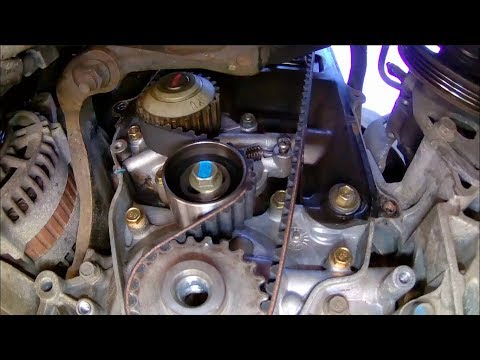
Chevrolet Matiz
(1998-2010 /
MK 1)
This video will teach you how to replace the old timing belt on your Daewoo Matiz with a new one. To facilitate the removal and replacement of the be…
Chevrolet Matiz
(1998-2010 /
MK 1)
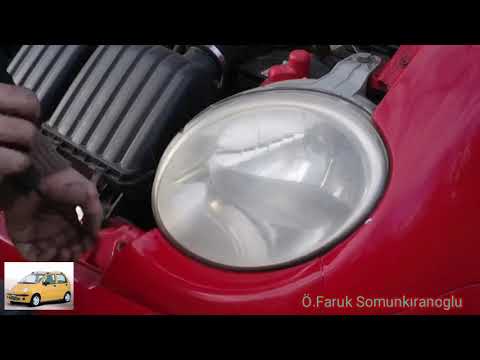
Today, we will go through the steps to remove the front headlights on a first-generation Daewoo or Chevrolet Matiz. First, open the front bonnet; the…

Chevrolet Matiz
(1998-2010 /
MK 1)
In this video tutorial, we will see the steps to dismantle and replace the engine air filter on the Chevrolet or Daewoo Matiz. First, open the bonnet…
Other guides you may be interested in
|
How to Open a Stuck Boot on the Peugeot 407?
On the Peugeot 407, the boot may become stuck, possibly due to a problem with the control button or the lock actuator. In such cases, you can perform an emergency opening by following the simple procedure shown in this tutorial. First, open the rear doors, then lower the seat back by operating the release lever. Next, go inside the boot, locate the lock, and manually operate it using a flathead screwdriver. The boot will then be free to open. by ScegliAuto More videos
|
|
For advertising on this site Write to info@scegliauto.com
ScegliAuto is not responsible for any inaccuracy of the data in the lists. To report any inaccuracy or your business (if you own the business in question), please write to info@scegliauto.com
Number of seconds to generate the page: 0.105
(c) ScegliAuto 2026 - info@scegliauto.com - Privacy policy VAT number: IT01247470535 |
