
|
Do it yourself
| |||
| ||||


How to Remove the Steering Wheel Controls on Fiat Bravo
Model: Fiat Bravo
Bravo 2
- Years 2007-2014
To remove the steering wheel controls for customization, follow these instructions: access the driver's seat. You can remove the two steering wheel control slots without taking out the airbag. The control unit is secured to the steering wheel with four clips; use a very small screwdriver to lever around the control mask to release the clips. Once the mask is removed, you can also lift the base of the controls, beneath which is the electronic board. At this point, you can also replace the LED lights in the controls to customise the vehicle. Finally, reassemble the components.
Updated on 25 June 2026 by ScegliAuto
Video tutorial
Related tutorials
Fiat Bravo
(2007-2014 /
Bravo 2)
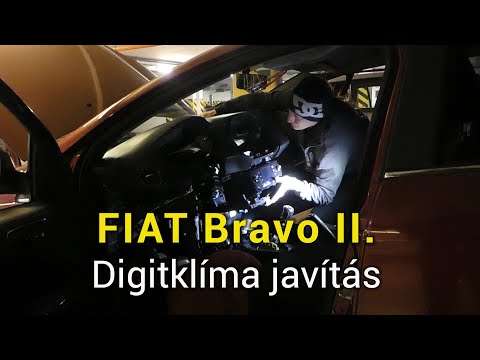
These short and simple instructions will show us how to disassemble and replace the steering wheel of the Fiat Bravo, along with its airbag. First, w…
Fiat Bravo
(2007-2014 /
Bravo 2)
To dismantle the dashboard of the Fiat Bravo, start by prying with an object in the centre of the dashboard to detach the trim that surrounds the con…

Fiat Bravo
(1995-2002 /
Bravo 1)
To replace the steering wheel on a Fiat Bravo, loosen the screws located at the back of the steering wheel to free the airbag from its housing at the…
Other guides you may be interested in
|
How to Adjust the Brightness of the Instrument Cluster on a Peugeot 3008?
To adjust the brightness of the instrument cluster on a Peugeot 3008, you need to turn on the ignition and access the settings via the menu located in the central area of the dashboard. In the screen that appears, select the "Display Configuration" option: now, by selecting the "Brightness" option, you can adjust it using the dedicated slider that will appear on the screen. The adjustment should be made with the headlights on as well as with them off. Once the adjustment is complete, you can turn off the instrument cluster. by ScegliAuto More videos
|
|
For advertising on this site Write to info@scegliauto.com
ScegliAuto is not responsible for any inaccuracy of the data in the lists. To report any inaccuracy or your business (if you own the business in question), please write to info@scegliauto.com
Number of seconds to generate the page: 0.075
(c) ScegliAuto 2026 - info@scegliauto.com - Privacy policy VAT number: IT01247470535 |
