
|
Do it yourself
| |||
| ||||



How to Replace the Transmission Cover on a Holden Captiva
Model: Chevrolet Captiva
CG
- Years:
2006, 2007, 2008, 2009, 2010, 2011, 2012, 2013, 2014, 2015, 2016
Video tutorial
As seen in the video, to change the automatic transmission cover on a Holden Captiva, you need to unscrew the shift knob and remove it. Next, remove a plastic strip covering the screw that holds the box containing the transmission. Once the screw is removed, proceed to take off the snap panel of the shifter, disconnect the cigarette lighter connector, and remove the transmission box by detaching the connector. Pull it out from the transmission. Remove the 4 screws from the back of the transmission box and replace the damaged plate. Reassemble everything.
Updated on 7 June 2026 by ScegliAuto
Related tutorials
Chevrolet Captiva
(2006-2018 /
CG)
Thanks to the steps described in this new mini guide aimed at all of you who own a Holden Captiva, you will be able to locate the fuse box in the cab…
Chevrolet Captiva
(2006-2018 /
CG)
If you don't know where the fuse box containing all the various fuses of your Holden Captiva is located, don't worry. Just read the following guide c…
Chevrolet Captiva
(2006-2016 /
CG)
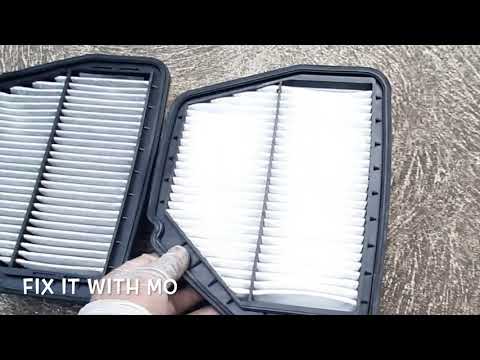
To replace the air filter on a Holden Captiva, open the hood to access the filter box located on the left side of the engine compartment. Loosen the …
Other guides you may be interested in
|
How to Remove the Toll Tag Holder from the Car Windscreen
The toll tag holder is usually attached to the car windscreen to ensure that the toll tag functions immediately when passing through barriers. However, if you decide to remove the holder, you should follow this procedure: - Insert the toll tag into the holder; - Pull the holder inwards to detach it from the windscreen; you can use a glass scraper or a stiff plastic card to assist you; After removing the holder, it is essential to remove the adhesive from the windscreen. To remove the adhesive, we recommend using a solvent-based spray that will remove the glue without clouding the area. by ScegliAuto More videos
|
|
For advertising on this site Write to info@scegliauto.com
ScegliAuto is not responsible for any inaccuracy of the data in the lists. To report any inaccuracy or your business (if you own the business in question), please write to info@scegliauto.com
Number of seconds to generate the page: 0.024
(c) ScegliAuto 2026 - info@scegliauto.com - Privacy policy VAT number: IT01247470535 |
