
|
Do it yourself
| |||
| ||||


How to Remove the Fuel Pump on a Hyundai Ix35
Model: Hyundai ix35
MK 1
- Years 2009-2015
To start, disconnect the battery cables, then remove the rear seat cushions. Use a socket to unscrew the retaining screws of the metal cap and remove it from its seat, using absorbent paper around the perimeter to soak up any fluid leaks. Unscrew the large retaining bolt of the fuel pump with a spanner and adapter, disconnect the power connectors and fluid circulation hoses. Extract the floating fuel pump from its housing along with any attached components. Finally, install a new part.
Updated on 2 March 2026 by ScegliAuto
Video tutorial
Related tutorials
Hyundai ix35
(2009-2015 /
MK 1)
How to remove the fuel pump from a Hyundai IX35. First, disconnect the battery cables, then remove the rear seat from the car. You will find various …

Hyundai ix35
(2009-2015 /
MK 1)
In this video we can see how to find and reset the average fuel consumption on a Hyundai IX35: we need to look inside the speedometer display, and th…
Hyundai ix35
(2009-2015 /
MK 1)
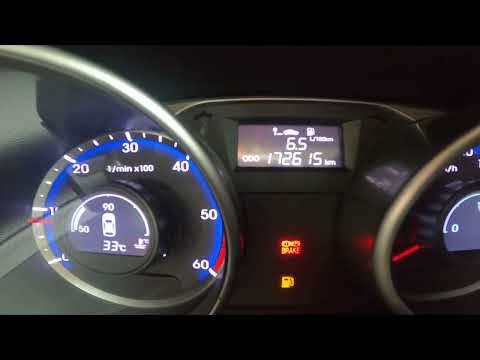
In this video, you will see how to navigate the display of the speedometer on the Hyundai IX35, and what information you can find by scrolling throug…
Other guides you may be interested in
|
How to Reset the Central Locking of the Volkswagen Golf 4?
If the central locking system of the Volkswagen Golf 4 is not working, it is likely necessary to reset the system: to do this, open the driver's door and detach the side panel of the dashboard next to the steering wheel. Under this panel, you will find the fuses, including the one for the central locking, which is indicated in the manual as number 14. To reset the system, remove this fuse from its housing, then reinsert it or replace it with a new one of the same amperage: this will reset the central locking system. by ScegliAuto More videos
|

|
For advertising on this site Write to info@scegliauto.com
ScegliAuto is not responsible for any inaccuracy of the data in the lists. To report any inaccuracy or your business (if you own the business in question), please write to info@scegliauto.com
Number of seconds to generate the page: 0.418
(c) ScegliAuto 2026 - info@scegliauto.com - Privacy policy VAT number: IT01247470535 |
