
|
Do it yourself
| |||
| ||||


Land Rover Range Rover - Tail lightTail Light Land Rover Range Rover (2012-2021 / mk 2)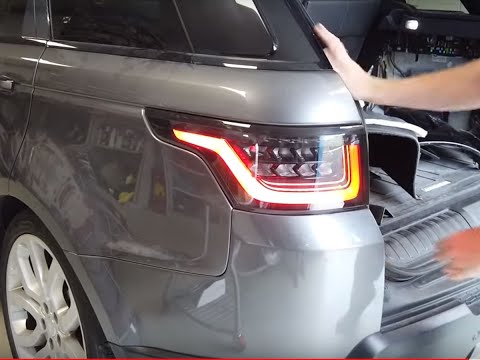 Land Rover Range Rover (2012-2021 / MK 2)
How to Remove the Tail Lights on a Land Rover Range Rover Sport? In this tutorial, you will see how to remove the tail lights on a Land Rover Range Rover Sport, a very simple and quick operation. Before proceeding, ensure …Read all… Posted on 24 August 2026 by ScegliAuto 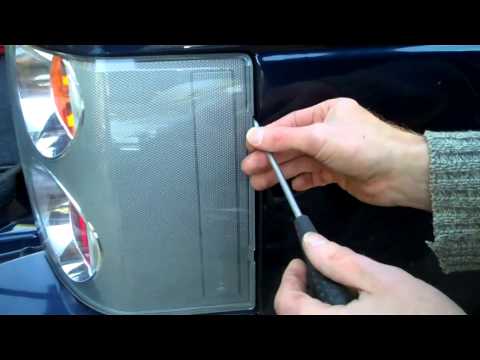 Land Rover Range Rover (2002-2012 / L322, MK 3)
How to Remove the Tail Lights on a Land Rover Range Rover? In this tutorial, you will see how to remove the tail lights on a Land Rover Range Rover L322 to replace a burnt-out bulb, for example. First, ensure the key …Read all… Posted on 1 August 2026 by ScegliAuto Tail Light Land Rover Range Rover (2002-2012 / l 322, mk 3)
Land Rover Range Rover (2012-2021 / MK 2)How to Remove the Tail Lights on a Land Rover Range Rover Sport? In this tutorial, you will see how to remove the tail lights on a Land Rover Range Rover Sport, a very simple and quick operation. Before proceeding, ensure …Read all… Posted on 24 August 2026 by ScegliAuto
Land Rover Range Rover (2002-2012 / L322, MK 3)How to Remove the Tail Lights on a Land Rover Range Rover? In this tutorial, you will see how to remove the tail lights on a Land Rover Range Rover L322 to replace a burnt-out bulb, for example. First, ensure the key …Read all… Posted on 1 August 2026 by ScegliAuto Alternator (2) Speaker (1) Car stereo (7) Battery (14) Transmission (6) Body (4) Control unit (1) Key (40) Timing belt (6) V-belt (1) Onboard computer (1) Checks and maintenance (11) Dashboard (1) Headlight (1) Tail light (2) Fog lights (1) Air filter (1) Cabin air filter (8) Diesel fuel filter (2) Oil filter (1) Parking brake (2) Accessory kit (2) Headlight bulb (3) Tail light bulb (1) Handle (1) Transmission fluid (2) Engine oil (4) Power steering fluid (1) Clock (3) Door trim panel (12) Front bumper (2) Rear bumper (1) Shift knob (1) Fuel pump (3) Instrument cluster (3) Radiator (1) Fuse box (19) Seat (4) Suspension system (3) Side mirror (9) AdBlue warning light (7) Warning light – error code (10) (4) Tire pressure warning light (1) Service warning light (49) Manufacturer emblem (2) Center console tunnel (3) EGR valve (3) Blower motor (2) Steering wheel (1) |
How to reset the tire pressure sensor of the Hyundai Tucson
Below we will discover the instructions that will allow us to reset the tire pressure warning light (TPMS) of the Hyundai Tucson. First of all, we get into the car and turn on the instrument panel; then we go to the vehicle settings until we reach the tire pressure monitor, identifying the tire with the incorrect pressure. At this point, we proceed to restore all tire pressures, following the pattern indicated on the label; in this way the TPMS system will be reset and the warning light will be reset by the instrument panel! by ScegliAuto More videos
|
|
For advertising on this site Write to info@scegliauto.com
ScegliAuto is not responsible for any inaccuracy of the data in the lists. To report any inaccuracy or your business (if you own the business in question), please write to info@scegliauto.com
Number of seconds to generate the page: 0.012
(c) ScegliAuto 2026 - info@scegliauto.com - Privacy policy VAT number: IT01247470535 |
