
|
Do it yourself
| |||
| ||||


How do you reset the Service light on the 2017 Range Rover Evoque?
Model: Land Rover Evoque
L538, MK 1
- Years 2011-2018
Let's prepare to reset the service light of the 2017 Range Rover Evoque, after replacing the engine oil and filter, which should always be done, in addition to any other scheduled maintenance tasks to be checked in the vehicle's manual. With the ignition on, we will notice the service alert on the onboard computer, so using the directional buttons on the right side of the steering wheel, we access the Menu, select Alarms and, positioned on the Maintenance alert, we will hold down the button at the end of the left lever of the same steering wheel, waiting for the reset to be completed.
Posted on 13 October 2025 by ScegliAuto
Video tutorial
Related tutorials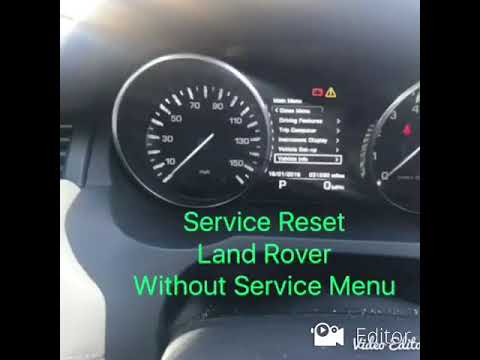
Land Rover Evoque
(2011-2018 /
L538, MK 1)
In today's video, we will see how to reset the expired service message on the Land Rover Range Rover Evoque. First, we recommend performing regular m…

Land Rover Evoque
(2011-2018 /
L538, MK 1)
In order to manually and correctly reset the service light on the instrument panel of your Range Rover Evoque, you must follow all the steps describe…

Land Rover Evoque
(2011-2018 /
L538, MK 1)
In this new mini guide, we will help you complete the procedure that allows you to manually reset the service light on the instrument panel of your f…
Other guides you may be interested in
|
How to Replace the External Wing Mirror on a Ford C MAX
In the event of a breakage, it will be necessary to replace the external wing mirror on the 2011 Ford C MAX. This operation is easily performed independently. Start by removing the internal cover of the mirror with a plastic lever. Then, use a socket wrench to remove the securing pins. Once the pins are removed, you can take off the mirror, but not before disconnecting the power connectors. Then proceed to fit the new mirror. First, connect the connectors and then secure the mirror to its housing with the pins. Refit the plastic cover and test the operation of the electric mirror using the controls. by ScegliAuto More videos
|

|
For advertising on this site Write to info@scegliauto.com
ScegliAuto is not responsible for any inaccuracy of the data in the lists. To report any inaccuracy or your business (if you own the business in question), please write to info@scegliauto.com
Number of seconds to generate the page: 0.264
(c) ScegliAuto 2026 - info@scegliauto.com - Privacy policy VAT number: IT01247470535 |
