
|
Do it yourself
| |||
| ||||


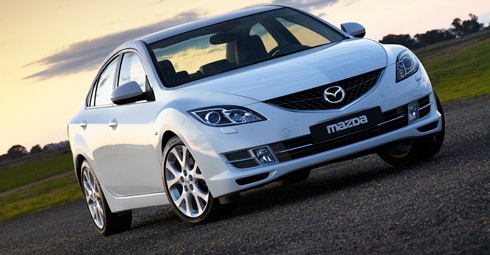
How to Disable the Alarm on a Mazda 6
Model: Mazda 6
MK 2, GH
- Years:
2008, 2009, 2010, 2011, 2012
Video tutorial
Here’s how to disable the alarm on a Mazda 6: in this case, the alarm was activating and deactivating without apparent reason, so the YouTuber decided to disable it. To do this, he had to remove the upholstery and the trim from the rear tailgate down to the right rear wheel arch (passenger side). This way, he accessed the electrical part located between the trim and the bodywork and found the siren emitting the sound. Here, you’ll find a grey plastic panel, where the electrical connector supplying power to the number plate light and the alarm siren is inserted. Just be careful to identify the correct connector, perhaps by doing a couple of tests to avoid risks, and the siren will be disabled.
Updated on 24 August 2026 by ScegliAuto
Related tutorials
Mazda 6
(2008-2012 /
MK 2, GH)
Today's instructions will show you how to permanently disable the Mazda 6 alarm in case of an emergency, in simple and quick steps. First, locate the…

Mazda 6
(2002-2008 /
GG, MK 1)
In today's tutorial, follow the instructions to remove and replace the EGR valve on a Mazda 6 3.0 six-cylinder diesel, first series. First, open the …

Mazda 6
(2008-2012 /
MK 2, GH)
To program the key of the Mazda 6, you need to insert it into the ignition switch: while it is inserted, you must connect a diagnostic tool to the OB…
Other guides you may be interested in
|
How to Open the Fuel Filler Flap in the Hyundai i30?
In this tutorial, you will learn how to open the fuel filler flap in the Hyundai i30, a very simple operation that follows the typical procedure of most vehicles. First, unlock the locks using the designated button on the remote, then open the driver's door, locate the release lever on the left side of the seat, and operate it. Next, move to the fuel filler flap, open it completely, unscrew the cap, and refuel as needed. To close the flap, simply press it gently. by ScegliAuto More videos
|
|
For advertising on this site Write to info@scegliauto.com
ScegliAuto is not responsible for any inaccuracy of the data in the lists. To report any inaccuracy or your business (if you own the business in question), please write to info@scegliauto.com
Number of seconds to generate the page: 0.024
(c) ScegliAuto 2026 - info@scegliauto.com - Privacy policy VAT number: IT01247470535 |
