
|
Do it yourself
| |||
| ||||


How to Replace the Thermostat on a Mazda 6
Model: Mazda 6
GG, MK 1
- Years:
2002, 2003, 2004, 2005, 2006, 2007, 2008
Video tutorial
Having issues with the thermostat on your Mazda 6? In this guide, you will learn how to change it. First, raise the car on a ramp to gain better access to the bolt located under the radiator, which you will need to drain the cooling system. Once the system is drained, you can re-tighten the bolt. Next, move to the engine bay and use a suitable spanner to loosen the tensioner located on the left side of the engine, allowing you to remove the belt. Then, detach the cover located above the engine. Using a suitable spanner, unscrew the bolts of the power steering connector located behind the pulley. Continue to unscrew the respective bolts to extract the power steering pump, giving you better manoeuvrability to remove the water hoses. Use a crowbar to fully extract the hose from the pipe, allowing any remaining fluid to drain out. Repeat the same operation with the other hose. On either side of the removed pipe, there are bolts; unscrew them carefully. Once this is done, you can finally proceed to remove your thermostat. Take a cloth and clean the pipes using a rag to eliminate any remaining debris. For the installation of the new part, simply repeat the process in reverse.
Updated on 23 February 2026 by ScegliAuto
Related tutorials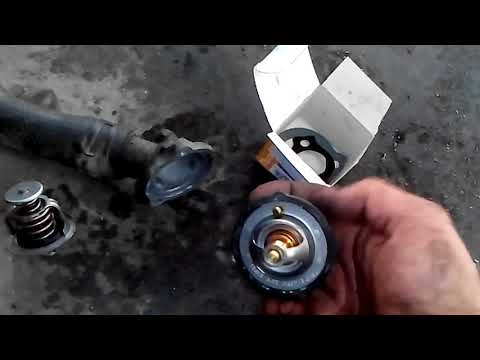
Mazda 6
(2002-2008 /
GG, MK 1)
In this video tutorial, you will see how to remove and replace the thermostat on the Mazda 6 2.0 Diesel, first series, in simple and quick steps. Fir…
Mazda 6
(2002-2008 /
GG, MK 1)
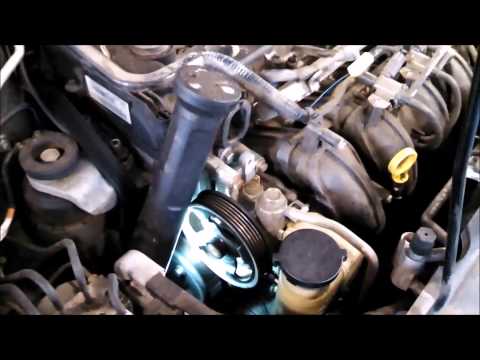
The thermostat regulates the flow of coolant to maintain a constant engine temperature and remove the minimum amount of heat necessary to prevent ove…

Mazda 6
(2002-2008 /
GG, MK 1)
In this tutorial, you will see how to program a key in the Mazda 6, a very simple and quick operation. To do this, you will need two already function…
Other guides you may be interested in
|
How to Reset the Tyre Pressure Warning Light on the Jeep Renegade?
To reset the tyre pressure warning light on the Jeep Renegade, inflate the tyres until they reach the recommended pressure: this value is indicated on the sticker attached to the driver’s door pillar. Once the tyres are properly inflated, navigate through the menu that appears on the instrument cluster until you find the tyre pressure option. At this point, press and hold the OK button on the right side of the steering wheel to make the warning light disappear. by ScegliAuto More videos
|
|
For advertising on this site Write to info@scegliauto.com
ScegliAuto is not responsible for any inaccuracy of the data in the lists. To report any inaccuracy or your business (if you own the business in question), please write to info@scegliauto.com
Number of seconds to generate the page: 0.027
(c) ScegliAuto 2026 - info@scegliauto.com - Privacy policy VAT number: IT01247470535 |
