
|
Do it yourself
| |||
| ||||


How to Reset the ECU of the Mercedes E 320 CDI
Model: Mercedes Classe E
W211
- Years:
2002, 2003, 2004, 2005, 2006, 2007, 2008, 2009
Video tutorial
In this guide, you will find the instructions needed to reset the engine control unit (ECU) of the Mercedes E-Class. First, open the hood of the vehicle and disconnect the battery. Then, remove the engine control unit by unscrewing the screws and disconnecting the wiring harness. At this point, reset the ECU using dedicated software by connecting the computer to the ECU through the appropriate port. Once the reset is complete, reconnect and reinstall the ECU in the vehicle, ensuring proper functionality.
Posted on 14 March 2026 by ScegliAuto
Related tutorials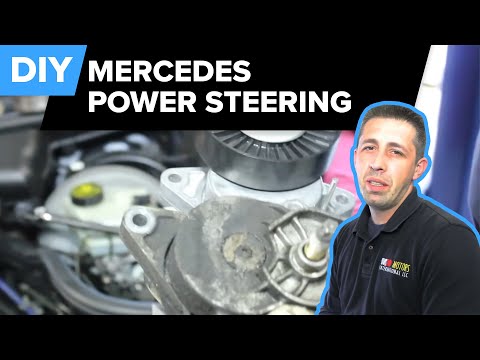
Mercedes Classe E
(2009-2016 /
W212)
Today we will see how to remove and replace the power steering pump on a Mercedes E320 CDI. First, open the hood and remove the timing belt by loosen…

Mercedes Classe E
(2002-2009 /
W211)
To reset the ECU of a Mercedes E-Class, completely remove the unit from its housing so it can be connected via the appropriate wiring to a computer. …

Mercedes Classe E
(1995-2002 /
W210)
In this video, you will see the main instructions on how to remove the fuel pump from a Mercedes E-Class 320. First, lift your vehicle with jack stan…
Other guides you may be interested in
|
Frequently Asked QuestionsHow to reset the tyre pressure warning light on the Kia Niro EV?
To reset the tyre pressure warning light on the Kia Niro EV, inflate the tyres until they reach the correct pressure value. This value is indicated on the sticker attached to the driver's door pillar. Once the tyres are inflated, turn on the instrument cluster to check that the warning light has completely disappeared from the display. If it is still present, you may need to drive for a few miles to ensure it disappears completely from the screen. by ScegliAuto More videos
|
|
For advertising on this site Write to info@scegliauto.com
ScegliAuto is not responsible for any inaccuracy of the data in the lists. To report any inaccuracy or your business (if you own the business in question), please write to info@scegliauto.com
Number of seconds to generate the page: 0.056
(c) ScegliAuto 2026 - info@scegliauto.com - Privacy policy VAT number: IT01247470535 |
