
|
Do it yourself
| |||
| ||||


Checking Engine Oil Level via On-Board Computer
Model: Mercedes Classe M
W163
- Years:
1997, 1998, 1999, 2000, 2001, 2002, 2003, 2004, 2005
Video tutorial
This video explains how to check the engine oil level using the controls of the on-board computer. The vehicle in question is a Mercedes M-Class. Park and turn off the engine, leaving it stationary for at least five minutes. Insert the ignition key and turn it to position 2. In the area of the speedometer, there is a button that you need to press quickly twice. The oil level is 1.0: the perfect level! If the level is insufficient, messages will appear indicating the amount of oil missing. In this case, simply top up the oil and check the level with the dipstick.
Updated on 10 February 2026 by ScegliAuto
Related tutorials
Mercedes Classe M
(2005-2011 /
W164)
.. turn on the ignition; then, navigate to the on-board computer settings using the button located on the left side of the steering wheel, and select the.. …
Mercedes Classe M
(1997-2005 /
W163)
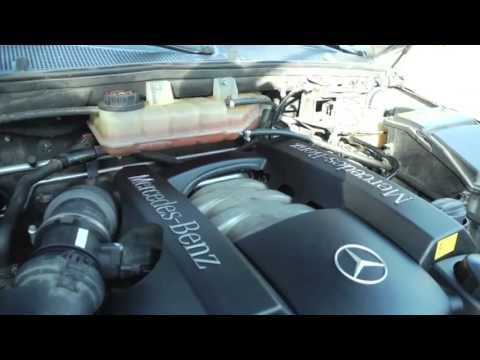
If the coolant level warning light on the dashboard illuminates, check the level in the respective reservoir. Once you open the front bonnet, the coo…
Mercedes Classe M
(2005-2011 /
W164)
Once you have raised the vehicle on the ramp, remove the cover to access the oil sump: the drain plug is located at the front, just above the stabili…
Other guides you may be interested in
|
How to reset the tyre pressure warning light on the Kia Niro EV?
To reset the tyre pressure warning light on the Kia Niro EV, inflate the tyres until they reach the correct pressure value. This value is indicated on the sticker attached to the driver's door pillar. Once the tyres are inflated, turn on the instrument cluster to check that the warning light has completely disappeared from the display. If it is still present, you may need to drive for a few miles to ensure it disappears completely from the screen. by ScegliAuto More videos
|
|
For advertising on this site Write to info@scegliauto.com
ScegliAuto is not responsible for any inaccuracy of the data in the lists. To report any inaccuracy or your business (if you own the business in question), please write to info@scegliauto.com
Number of seconds to generate the page: 0.126
(c) ScegliAuto 2026 - info@scegliauto.com - Privacy policy VAT number: IT01247470535 |
