
|
Do it yourself
| |||
| ||||


How to Reset the Oil Change Light on a Peugeot Boxer?
Model: Peugeot Boxer
MK 2
- Years:
2006, 2007, 2008, 2009, 2010, 2011, 2012, 2013, 2014, 2015, 2016, 2017
Video tutorial
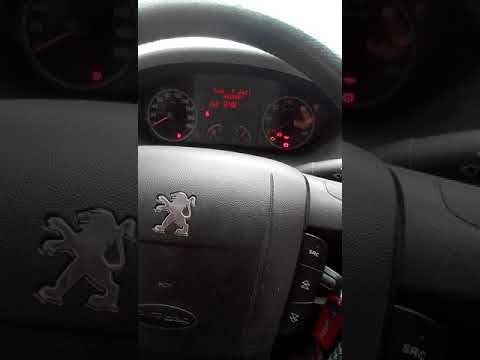
To reset the Oil Change light on a Peugeot Boxer, turn the ignition key to the 'on' position and check that the light appears on the dashboard. Then, press and hold the brake and accelerator pedals simultaneously for a few seconds until the light on the dashboard resets. Once the operation is complete, turn the key to switch off the dashboard; to confirm that the reset was successful, turn the ignition key on again.
Updated on 10 July 2026 by ScegliAuto
Related tutorials
Peugeot Boxer
(1993-2006 /
MK 1)
If you own a first-generation Peugeot Boxer and the oil warning light on the instrument panel continues to stay on even after replacing the oil, do n…
Peugeot Boxer
(2006-2024 /
MK 2)
To reset the Service light on the Peugeot Boxer, turn on the ignition by turning the key. Once the instrument cluster is on, press and hold the accel…

Peugeot Boxer
(2006-2024 /
MK 2)
To manually reset the oil warning light on the dashboard of your second series Peugeot Boxer, you do not need to visit a local garage. You can comple…
Other guides you may be interested in
|
How to Set the Clock on a Fiat Scudo
Setting the time on a Fiat Scudo is a simple and quick operation. First, turn on the vehicle's onboard computer and then press the SET button located on the dashboard. The settings menu will appear on the display; press the "+" button to select the "TIME" option using the "SET" button. Once in the clock menu, you can choose the format and adjust the hours and minutes by pressing the "+", "-" and "SET" buttons. When finished, return to the main menu and then turn off the ignition to complete the reset. by ScegliAuto More videos
|
|
For advertising on this site Write to info@scegliauto.com
ScegliAuto is not responsible for any inaccuracy of the data in the lists. To report any inaccuracy or your business (if you own the business in question), please write to info@scegliauto.com
Number of seconds to generate the page: 0.116
(c) ScegliAuto 2026 - info@scegliauto.com - Privacy policy VAT number: IT01247470535 |
