
|
Do it yourself
| |||
| ||||


Peugeot Boxer - Warning light – error codeWarning Light – Error Code Peugeot Boxer (2006-2024 / mk 2) Peugeot Boxer (2006-2024 / MK 2)
How to Fix Error P1505 on a 2018 Peugeot Boxer Let's see how to fix error P1505 on a 2018 Peugeot Boxer: the symptom is that the engine does not start and does not turn over; often, the hazard lights remain …Read all… Posted on 21 April 2026 by ScegliAuto  Peugeot Boxer (2006-2024 / MK 2)
How to Reset the Engine Light on a Peugeot Boxer If you have already checked that your Peugeot Boxer has had its service and everything is fine, but you cannot turn off the engine light that keeps flashing, …Read all… Posted on 17 August 2026 by ScegliAuto  Peugeot Boxer (2006-2024 / MK 2)
How to Reset the Oil Change Light on a Peugeot Boxer? To reset the Oil Change light on a Peugeot Boxer, turn the ignition key to the 'on' position and check that the light appears on the dashboard. Then, press and …Read all… Posted on 10 July 2026 by ScegliAuto  Peugeot Boxer (2006-2024 / MK 2)
What to Do When the Engine Warning Light Comes On in the Peugeot Boxer The engine warning light does not indicate a specific problem but can refer to various engine anomalies. The first thing to do is observe the light, as it can …Read all… Posted on 18 September 2026 by ScegliAuto 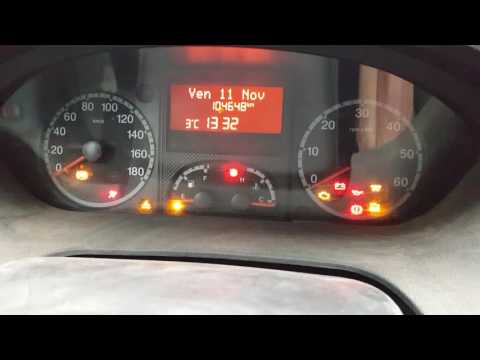 Peugeot Boxer (2006-2024 / MK 2)
How to Reset the Oil Change Service on Peugeot Boxer 3 Open the driver’s door and access the driver’s seat. To cancel the maintenance warning signal, insert the key into the ignition without turning it on, …Read all… Posted on 28 August 2026 by ScegliAuto  Peugeot Boxer (2006-2024 / MK 2)
How to Reset the Service Light on a Peugeot Boxer After changing the engine oil and the corresponding filter as per the service schedule in DIY mode on this vehicle, you need to reset the service light that …Read all… Posted on 22 July 2026 by ScegliAuto  Peugeot Boxer (2006-2024 / MK 2)
How to Reset the Service Light on the Peugeot Boxer 2020 After carrying out the oil change service and replacing the filter on your vehicle, you need to reset the service indicator light on the dashboard. To do this, …Read all… Posted on 17 July 2026 by ScegliAuto 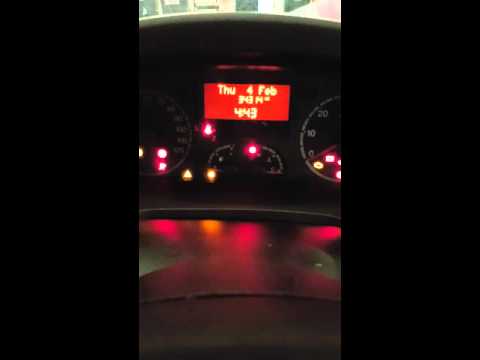 Peugeot Boxer (2006-2024 / MK 2)
How to Reset the Service Light on a Peugeot Boxer In today's video, we will see how to reset the service light on a Peugeot Boxer (this video also applies to the Citroen Jumper and Fiat Ducato). Enter the …Read all… Posted on 26 June 2026 by ScegliAuto Shocks (3) Car stereo (2) Battery (3) Transmission (1) Glow plugs (3) Body (2) Key (5) Timing belt (4) Onboard computer (1) Checks and maintenance (13) Headlight (2) Tail light (1) Air filter (1) Cabin air filter (6) Diesel fuel filter (2) Clutch (5) Grille (1) Light bulb (1) Side marker bulb (2) Headlight bulb (6) Tail light bulb (1) License plate light (1) Engine (2) Power window motor (1) Starter motor (2) Engine oil (4) Clock (8) Door trim panel (1) Rear bumper (1) Pump (1) Fuel pump (2) Instrument cluster (2) Radiator (2) Wheel (2) Fuse box (33) Seat (1) Suspension system (2) Side mirror (8) AdBlue warning light (5) Warning light – error code (8) (1) Service warning light (42) Windshield wipers (2) Valve (1) EGR valve (4) |
How to Connect the Cables to the Battery of the Citroen Xsara Picasso?
In this tutorial, you will see how to connect the cables to the battery of the Citroen Xsara Picasso, useful if you need to recharge it or perform an emergency start. First, ensure the key is not inserted, then open the bonnet and move to the front of the left headlamp. Next, locate the bolt just behind the filter box and connect the positive terminal clamp to it. Now you can connect the negative terminal to any point on the chassis, such as the indicated point. Once the operation is complete, ensure you disconnect the negative first and then the positive. by ScegliAuto More videos
|
|
For advertising on this site Write to info@scegliauto.com
ScegliAuto is not responsible for any inaccuracy of the data in the lists. To report any inaccuracy or your business (if you own the business in question), please write to info@scegliauto.com
Number of seconds to generate the page: 0.010
(c) ScegliAuto 2026 - info@scegliauto.com - Privacy policy VAT number: IT01247470535 |
