Do it yourself
Frequently asked questions about cars and motorcycles
  1. Car
  2. :
  3. Skoda
  4. :
  5. Octavia
  6. : Brake rotors

Skoda Octavia - Brake rotors

Brake Rotors Skoda Octavia (1996-2004 / 1u, mk 1)

Skoda Octavia (1996-2004 / 1U, MK 1)
Brake Disc and Pad Replacement

After removing the wheel, use two spanners to loosen the two retaining nuts of the brake shoes and, with the aid of a ratchet spanner, completely remove the …Read all…
Posted on 11 February 2026 by ScegliAuto

Cigarette lighter (3) Airbag (8) Alternator (4) Shocks (2) Antenna (1) Car stereo (12) Battery (11) Air vents (3) Transmission (2) Spark plugs (2) Glow plugs (4) Body (1) Glove compartment (7) Key (54) Timing belt (7) Air conditioner (13) Onboard computer (7) Checks and maintenance (26) Dashboard (1) Shifter boot (1) Bearing (1) Brake rotors (1) Rear bench seat (1) Headlight (12) Tail light (9) Fog lights (6) Air filter (7) Cabin air filter (14) Diesel fuel filter (4) Oil filter (3) Parking brake (3) Clutch (1) Window switch (2) Accessory kit (3) Light bulb (7) Side marker bulb (1) Headlight bulb (31) Tail light bulb (4) Instrument panel light (1) License plate light (7) (1) Handle (4) Power window motor (1) Engine oil (3) Clock (25) Door trim panel (19) Front bumper (4) Rear bumper (2) Brake pads (4) Shift knob (1) Fuel pump (2) Car door (4) Instrument cluster (9) Radiator (1) Heater core (5) Fuse box (61) Seat (10) Axle shaft (1) Engine coolant temperature sensor (3) Door lock (5) Suspension system (1) Side mirror (8) AdBlue warning light (4) Warning light – error code (39) Tire pressure warning light (45) Service warning light (183) Manufacturer emblem (5) Brake drums and shoes (1) Fuel cap (2) Windshield wipers (3) Thermostat (1) Tie rods (1) Turbocharger (1) EGR valve (1) Blower motor (3) Side window (2) Steering wheel (1)

What does the "Code 82" message indicate in the Chevrolet Orlando and how to remove it?

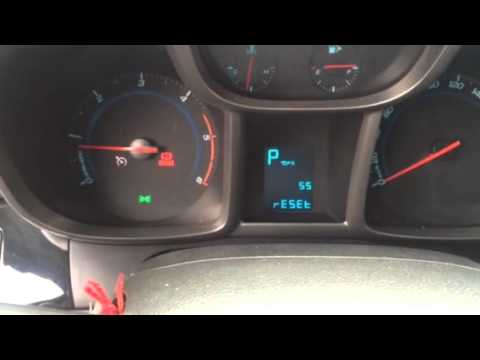
If the "Code 82" message appears on the dashboard of your Chevrolet Orlando, it means that the service interval in miles or time has been reached. Once all scheduled maintenance tasks are completed, you can remove the warning by following the simple procedure shown in this tutorial. First, insert the key and turn on the ignition, then press the "MENU" button located on the left control stalk and navigate to the screen displaying the "Reset" option. At this point, press the "SET/CLR" button at the end of the same stalk and confirm the reset.

Watch the video!


by ScegliAuto

More videos