
|
Do it yourself
| |||
| ||||


Accessing the fluid level checks on the Smart
Model: Smart Smart
450
- Years:
1998, 1999, 2000, 2001, 2002, 2003, 2004, 2005, 2006, 2007
Video tutorial
Let's see where to find the caps of the tanks, in case we need to top up the secondary fluids of the Smart. Using the ignition key as a screwdriver, unscrew the screw that secures the two grilles at the base of the windscreen; behind the passenger side grille, you will find, on the left, the brake fluid reservoir, and on the right, the filler neck for the windscreen washer fluid. After removing the driver's side grille using the same method, you need to remove a second grille and pull out the air duct to access the cap of the expansion tank for the cooling circuit fluid.
Updated on 23 October 2026 by ScegliAuto
Related tutorials
Smart
(2014-2022 /
453)
To disable the traction control on the Smart, turn on the ignition by inserting the key into the ignition switch. Once the ignition is on, use the sp…
Smart
(1998-2007 /
450)
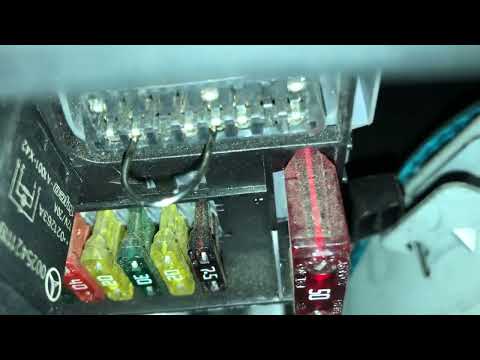
The procedure to disable traction control on a Smart can be done by accessing the vehicle's fuse box, located immediately behind the glove compartmen…

Smart
(1998-2007 /
450)
To disable the traction control on a Smart, completely remove the fuse that regulates the traction control system: this fuse is located in the box un…
Other guides you may be interested in
|
Frequently Asked QuestionsHow to reset the tyre pressure warning light on the Kia Niro EV?
To reset the tyre pressure warning light on the Kia Niro EV, inflate the tyres until they reach the correct pressure value. This value is indicated on the sticker attached to the driver's door pillar. Once the tyres are inflated, turn on the instrument cluster to check that the warning light has completely disappeared from the display. If it is still present, you may need to drive for a few miles to ensure it disappears completely from the screen. by ScegliAuto More videos
|
|
For advertising on this site Write to info@scegliauto.com
ScegliAuto is not responsible for any inaccuracy of the data in the lists. To report any inaccuracy or your business (if you own the business in question), please write to info@scegliauto.com
Number of seconds to generate the page: 0.091
(c) ScegliAuto 2026 - info@scegliauto.com - Privacy policy VAT number: IT01247470535 |
