Do it yourself
Frequently asked questions about cars and motorcycles
  1. Car
  2. :
  3. Toyota
  4. :
  5. Auris
  6. : Timing belt

Toyota Auris - Timing belt

Timing Belt Toyota Auris (2007-2012 / e 150)

Toyota Auris (2007-2012 / E150)
When to Replace the Timing Chain on the Toyota Auris D-4D

The Toyota Auris powered by D-4D is equipped with a timing chain instead of a belt; in general, the manufacturer guarantees the timing chain for up to 250,000 …Read all…
Posted on 2 September 2026 by ScegliAuto

Cigarette lighter (1) Airbag (2) Shocks (2) Antenna (1) Car stereo (2) Anti-roll bar (1) Roof rack bars (1) Battery (14) Spark plugs (1) Key (16) Timing belt (1) Checks and maintenance (15) Dashboard (1) MAF sensor (1) Rear bench seat (1) Headlight (3) Tail light (15) Fog lights (1) Air filter (1) Cabin air filter (7) Diesel fuel filter (4) Oil filter (3) Light bulb (5) Side marker bulb (1) Headlight bulb (21) Tail light bulb (14) Interior dome light bulb (3) License plate light (7) Engine oil (1) Clock (17) Door trim panel (5) Front bumper (2) Rear bumper (3) Brake pads (1) Hydraulic pistons (1) Tires (1) Shift knob (3) Instrument cluster (3) Wheel (1) Fuse box (28) Seat (3) Parking sensors (2) Suspension system (1) Side mirror (3) Warning light – error code (8) Tire pressure warning light (35) Service warning light (63) Fuel cap (1) Windshield wipers (4) Steering wheel (1)

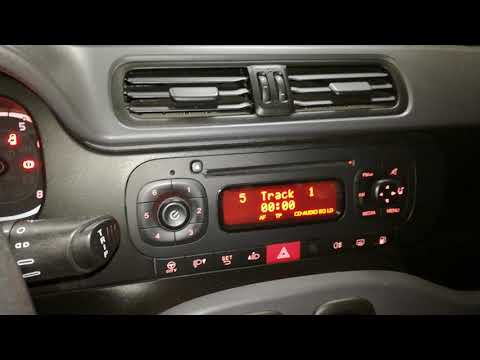
How to Connect Your Mobile Phone to a Fiat Panda

To connect a mobile phone to a Fiat Panda, first obtain a USB cable. Connect one end of the USB cable to the phone and the other end to the USB port in the car located under the gear lever. Once the phone is connected, go to the phone's settings and select the car device. To select the phone from the car radio, press the "media" button until "ex. Device" / "ext. disp." appears, allowing you to access the songs on your phone. The phone can also be connected via Bluetooth by turning it on and selecting the car device.

Watch the video!


by ScegliAuto

More videos