
|
Do it yourself
| |||
| ||||


How to Change the Time on Landini Tractors
Model: (Various brands) Various
Video tutorial
Learn how to change the time on Landini tractors: sit in the driver's seat and press and hold the button at the top left of the dashboard in front of the steering wheel, turn on the ignition, and after a few seconds, release the button. Use the arrow buttons located on the right side of the dashboard to select the clock, press the previous button to highlight the hour, and use the arrow buttons to set the correct value. Press the same button again to move to the minutes and repeat the same procedure to enter the desired data. Confirm everything using the button at the bottom left with a house icon.
Updated on 20 July 2026 by ScegliAuto
Related tutorials
(Various brands) Various
In this video we see something very important for those who drive a large commercial vehicle: how to check and change the local time of the VDO tacho…
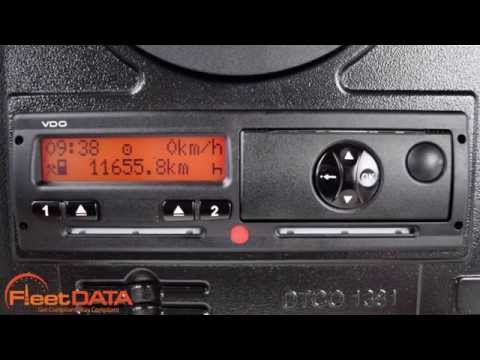
(Various brands) Various
The process for changing the time on a Siemens VDO digital tachograph may vary slightly depending on the model and version of the tachograph. However…

(Various brands) Various
If you need to change the time set on the dashboard of your motorcycle, you will find the necessary instructions and steps in the description below, …
Other guides you may be interested in
|
How to Remove the Rear Seat of a Hyundai Tucson?
To remove the rear seat of a Hyundai Tucson, follow these steps. Start by moving the front seats to their most forward position to gain space. Next, locate the release lever on the underside of the rear seat, near the floor. Press this lever down while pulling the seat upwards to unlock it from the anchor pins. Once unlocked, tilt the seat upwards and forwards to remove it from its position. Repeat this process for both sides of the rear seat. Be careful of any electrical cables or components that may be connected to the seat during removal. Once the rear seat is removed, the disassembly is complete. by ScegliAuto More videos
|
|
For advertising on this site Write to info@scegliauto.com
ScegliAuto is not responsible for any inaccuracy of the data in the lists. To report any inaccuracy or your business (if you own the business in question), please write to info@scegliauto.com
Number of seconds to generate the page: 0.106
(c) ScegliAuto 2026 - info@scegliauto.com - Privacy policy VAT number: IT01247470535 |
