
|
Do it yourself
| |||
| ||||


How do you deactivate the alarm of the Volkswagen Passat?
Model: Volkswagen Passat
3BG, B5
- Years 1996-2005
To deactivate the alarm of the Volkswagen Passat, you need to locate the control unit that manages its operation: to access this control unit, you will need to completely remove the driver's seat and then detach the carpet from its footrest compartment: under this carpet, you can find the control unit, which must be disconnected from its connectors and completely reprogrammed, in order to deactivate the alarm. Once the control unit has been reprogrammed, you can reconnect it to the cables to verify that everything is functioning properly.
Posted on 15 November 2024 by ScegliAuto
Video tutorial
Related tutorials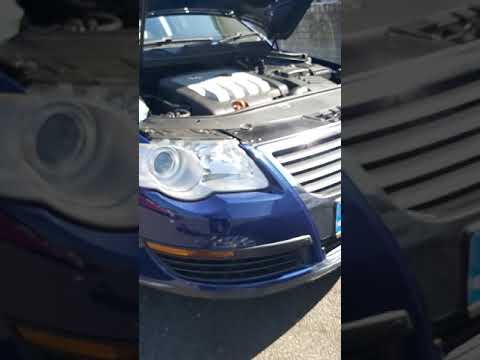
Volkswagen Passat
(2005-2010 /
B6, 3C)
To disable the alarm on a Volkswagen Passat, first locate the system that activates it: this is positioned inside the engine bay. To access it, you w…
Volkswagen Passat
(2014-2023 /
B8, 3G, MK 8)
To disable the alarm on a Volkswagen Passat, you need to connect a diagnostic tool to the vehicle's OBD port: this port is located at the bottom left…

Volkswagen Passat
(1996-2005 /
3BG, B5)
It will be possible to deactivate the alarm of the Volkswagen Passat by first closing all the door locks, pressing the appropriate button located on …
Other guides you may be interested in
|
Frequently Asked QuestionsHow to reset the tire pressure sensor of the Hyundai Tucson
Below we will discover the instructions that will allow us to reset the tire pressure warning light (TPMS) of the Hyundai Tucson. First of all, we get into the car and turn on the instrument panel; then we go to the vehicle settings until we reach the tire pressure monitor, identifying the tire with the incorrect pressure. At this point, we proceed to restore all tire pressures, following the pattern indicated on the label; in this way the TPMS system will be reset and the warning light will be reset by the instrument panel! by ScegliAuto More videos
|
|
For advertising on this site Write to info@scegliauto.com
ScegliAuto is not responsible for any inaccuracy of the data in the lists. To report any inaccuracy or your business (if you own the business in question), please write to info@scegliauto.com
Number of seconds to generate the page: 0.119
(c) ScegliAuto 2026 - info@scegliauto.com - Privacy policy VAT number: IT01247470535 |
