
|
Do it yourself
| |||
| ||||


How to Change the Air Filter on the Volkswagen Golf V Petrol
Model: Volkswagen Golf
MK 5, Golf 5, Golf V
- Years 2003-2008
See how to change the air filter on the Volkswagen Golf V petrol: open the bonnet and remove the engine cover; first, you will need to disconnect the air hose. Now, using a star screwdriver, unscrew the screws of the air filter box. Lift the lid of the box and remove the filter. Clean the box thoroughly from dust and debris, and insert the new filter, ensuring that the rubber seal is perfectly seated in its groove. Pay attention to the orientation of the filter; otherwise, it will not work. Replace the lid, tightening the screws, reconnect the air hose connector, and put the engine cover back. Close the bonnet, and you're done.
Posted on 16 May 2026 by ScegliAuto
Video tutorial
Related tutorials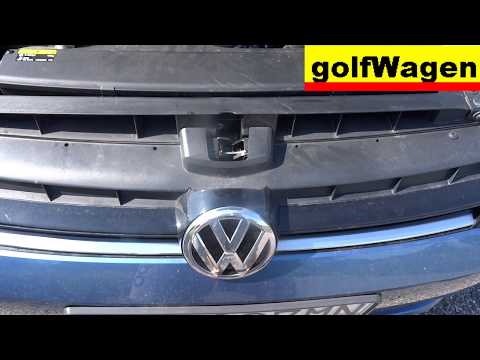
Volkswagen Golf
(2012-2019 /
Golf VII, MK 7, Golf 7)
To replace the air filter on the Volkswagen Golf 7, open the bonnet to locate the box containing the filter, which is situated at the front right of …
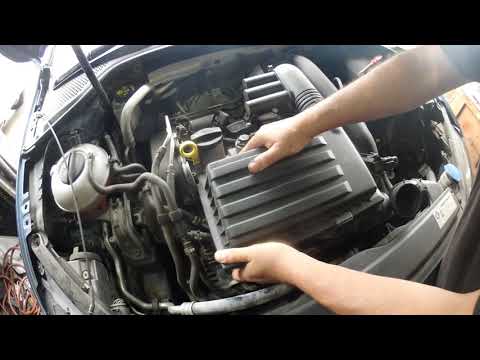
Volkswagen Golf
(2012-2019 /
Golf VII, MK 7, Golf 7)
To replace the air filter on the Volkswagen Golf 7, open the bonnet to access the engine bay: you need to free the box containing the filter from all…

Volkswagen Golf
(2012-2019 /
Golf VII, MK 7, Golf 7)
Today we will explain how to replace the cabin air filter of the Volkswagen Golf 7. First, we open the glove compartment on the passenger side and un…
Other guides you may be interested in
|
How to reset the tyre pressure warning light on a Hyundai Tucson
Below are the instructions to reset the tyre pressure warning light (TPMS) on a Hyundai Tucson. First, get into the vehicle and turn on the instrument cluster; then navigate to the vehicle settings until you reach the tyre pressure monitor, identifying the tyre with incorrect pressure. At this point, restore all tyre pressures according to the specifications indicated on the label; this will reset the TPMS and the warning light will be cleared from the instrument cluster! by ScegliAuto More videos
|
|
For advertising on this site Write to info@scegliauto.com
ScegliAuto is not responsible for any inaccuracy of the data in the lists. To report any inaccuracy or your business (if you own the business in question), please write to info@scegliauto.com
Number of seconds to generate the page: 0.102
(c) ScegliAuto 2026 - info@scegliauto.com - Privacy policy VAT number: IT01247470535 |
