
|
Do it yourself
| |||
| ||||


How to Change the Rear Brake Pads on the Volkswagen Polo
Model: Volkswagen Polo
MK IV, Polo 4, 9N, MK 4, Polo IV
- Years:
2001, 2002, 2003, 2004, 2005, 2006, 2007, 2008, 2009
Video tutorial
On the Volkswagen Polo, first address the wheel bolts, then lift the Volkswagen Polo with a jack and remove the rear wheel to expose the caliper and disc. Upon reaching the rear brake assembly of the Volkswagen Polo, the removal of the external spring/clip of the caliper is shown using a screwdriver, freeing the caliper and allowing more space to work. Next, loosen the caliper fixings, and the caliper is slid off and held up, avoiding leaving it 'hanging' from the brake line. With the caliper free, the old pads are removed from their seat, clearly showing the contact area on the support. At this point, the new pads for the Volkswagen Polo are presented, and reassembly proceeds: the pads are correctly inserted into the guides, and the caliper is repositioned, realigning the components without forcing. The video also shows the final tightening phase of the fixings with a torque wrench. After reassembling the wheel and lowering the Volkswagen Polo, the content shows the classic final check from the driver's seat: press the brake pedal to seat the system and 'bed in' the caliper with the new pads before moving the vehicle.
Posted on 23 August 2026 by ScegliAuto
Related tutorials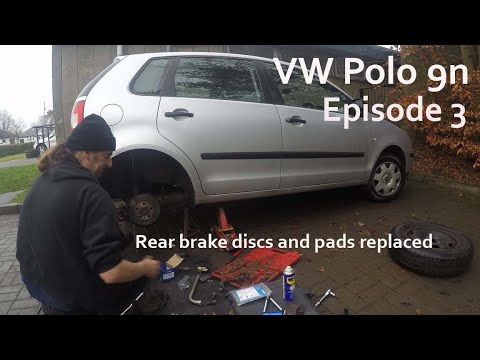
Volkswagen Polo
(2001-2009 /
MK IV, Polo 4, 9N, MK 4, Polo IV)
Want to replace the rear brake disc on your Polo? Here’s how to remove the disc from the rear of the car. Lift the vehicle with a jack and remove the…

Volkswagen Polo
(2009-2017 /
6R, MK V, Polo 5, Polo V, MK 5)
Let's see how to replace the brake pads on a Volkswagen Polo. Lift the car with a jack and remove the wheel to access the disc and brake caliper. Uns…

Volkswagen Polo
(2009-2017 /
6R, MK V, Polo 5, Polo V, MK 5)
Let's see how to change the front brake pads on the Volkswagen Polo V: first, lift the car and remove the front wheels, open the brake fluid reservoi…
Other guides you may be interested in
|
How to reset the tyre pressure warning light on the Kia Niro EV?
To reset the tyre pressure warning light on the Kia Niro EV, inflate the tyres until they reach the correct pressure value. This value is indicated on the sticker attached to the driver's door pillar. Once the tyres are inflated, turn on the instrument cluster to check that the warning light has completely disappeared from the display. If it is still present, you may need to drive for a few miles to ensure it disappears completely from the screen. by ScegliAuto More videos
|
|
For advertising on this site Write to info@scegliauto.com
ScegliAuto is not responsible for any inaccuracy of the data in the lists. To report any inaccuracy or your business (if you own the business in question), please write to info@scegliauto.com
Number of seconds to generate the page: 0.063
(c) ScegliAuto 2026 - info@scegliauto.com - Privacy policy VAT number: IT01247470535 |
