
|
Do it yourself
| |||
| ||||


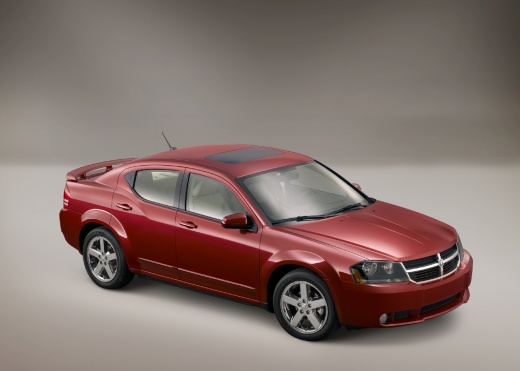
How to Replace the Fuel Pump in a Dodge Avenger
Model: Dodge Avenger
MK 1
- Years:
2008, 2009, 2010, 2011, 2012, 2013
Video tutorial
In this video tutorial, see how to replace the fuel pump in a Dodge Avenger. Keep a fire extinguisher handy and work in a well-ventilated area due to the risk of fire. Before disassembling any part of the fuel system, relieve the system pressure and remove the fuel filler cap. Remove the lower seat cushion, lift and remove the fuel pump module cover; disconnect the electrical connector. Start the engine and let it run until it stalls. Try to restart the engine to see if it starts; continue until it no longer starts. Turn the ignition key to the OFF position. Disconnect the negative battery cable and isolate it. Place a towel under the fuel line connector at the top of the fuel pump module, then disconnect the connector. Use a marker to mark the position of the fuel pump module (lock ring) and the fuel tank before removal. Use compressed air to blow away debris from the fuel pump module. Remove the fuel pump module (lock ring) with a pair of pliers, gripping the two notches and turning counterclockwise. Remove the lock ring, place rags around the opening of the fuel pump, and lift the fuel pump module out of the tank. For further explanations, refer to the video tutorial.
Updated on 7 August 2026 by ScegliAuto
Related tutorials
Dodge Avenger
(2008-2013 /
MK 1)
After replacing the motor oil in the 2011 Dodge Avenger's tank, it is necessary to proceed with resetting the oil light. To reset the light, we must …

Dodge Avenger
(2008-2013 /
MK 1)
It is not always necessary to buy a new key for your Dodge Avenger when the one you have suddenly stops working. In fact, many times the problem is c…

Dodge Avenger
(2008-2013 /
MK 1)
The following video tutorial will explain how to reset the oil light on a Dodge vehicle. To reset the oil light on a 2012 Dodge Avenger, we need to p…
Other guides you may be interested in
|
How to Set the Clock on a Renault Master 3
This guide shows you how to set a new time on a Renault Master 3. Start by turning on the instrument cluster of the vehicle without starting the engine. Next, using the end of the right-hand steering column stalk, scroll through the options on the display until you reach 'set time', then press the down arrow button to make the displayed time blink. Once this is done, press and hold the down arrow button to change the hour, which you can adjust using the two arrow buttons at the end of the stalk. Once the correct hour is set, press and hold the down arrow button again to move to the minutes. After setting the correct time, restart the vehicle. by ScegliAuto More videos
|
|
For advertising on this site Write to info@scegliauto.com
ScegliAuto is not responsible for any inaccuracy of the data in the lists. To report any inaccuracy or your business (if you own the business in question), please write to info@scegliauto.com
Number of seconds to generate the page: 0.171
(c) ScegliAuto 2026 - info@scegliauto.com - Privacy policy VAT number: IT01247470535 |
