
|
Do it yourself
| |||
| ||||



How to erase the PCM memory of a Ford F150
Model: Ford F-150
MK 12
- Years:
2009, 2010, 2011, 2012, 2013, 2014
Video tutorial
In this video, we will see how to reset the PCM (Powertrain Control Module) of a Ford F150: this is the brain of our vehicle, a computer that receives information from a myriad of sensors, present in the engine and other systems: it processes them and sends commands to the actuators to regulate the engine performance. It may be necessary to reset it to erase old parameters and allow the PCM to learn the new conditions. So let's see how to do it. Disconnect the negative terminal of the battery, and turn on the headlights to make sure to discharge any energy reserves. We will wait about 30 minutes and then reconnect the battery. Now turn the key to position 1, and hold it for 10 seconds, then start the engine keeping it at idle, making sure that the radio, windshield wipers, and air conditioning are off, for 10 minutes. Then take a calm drive, and for the first few days drive moderately, so that the PCM can learn the transmission shift points.
Posted on 18 July 2025 by ScegliAuto
Related tutorials
Ford F-150
(2004-2008 /
MK 11)
Follow the steps in this guide to easily replace the cabin air filter in your 2008 Ford F150. First, ensure the vehicle is parked on a level surface,…
Ford F-150
(2009-2014 /
MK 12)
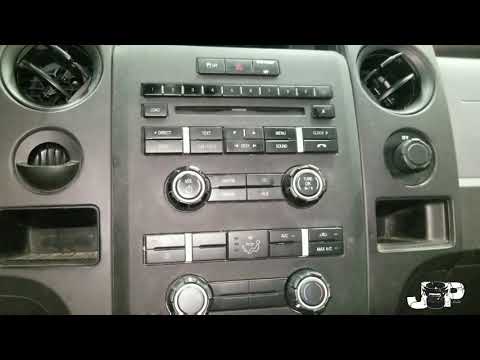
This guide shows how to remove the radio from a Ford F-150 Mk12. From the bottom of the radio console, disconnect the alarm LED and unscrew the 7 mm …

Ford F-150
(2009-2014 /
MK 12)
In this article we will show you how to replace the headlight bulb of the Ford F150. For this operation you will need a 10mm socket wrench and a Phil…
Other guides you may be interested in
|
How to Reset the AdBlue Warning Light on a Peugeot Boxer
To reset the AdBlue system on a 2018 Peugeot Boxer, follow these steps: Start the engine and ensure the vehicle is parked in a well-ventilated area. Locate the "MENU" button on the dashboard or steering wheel controls. Press and hold the "MENU" button until the menu options appear on the display. Use the arrow buttons or scroll wheel to access the "Vehicle Settings" or "Settings" menu. Select the "AdBlue" or "AdBlue System" option. Look for the "Recharge" or "Reset" option in the AdBlue menu. Once you find the reset option, select it and confirm your choice when prompted. The system will be reset, and a confirmation message may appear on the display. Turn off the engine and wait a few seconds. Restart the engine and check that the AdBlue system has been reset. by ScegliAuto More videos
|
|
For advertising on this site Write to info@scegliauto.com
ScegliAuto is not responsible for any inaccuracy of the data in the lists. To report any inaccuracy or your business (if you own the business in question), please write to info@scegliauto.com
Number of seconds to generate the page: 0.208
(c) ScegliAuto 2026 - info@scegliauto.com - Privacy policy VAT number: IT01247470535 |
