
|
Do it yourself
| |||
| ||||


How to reset the oil light on the 2018 Ford Transit.
Model: Ford Transit
MK 8
- Years 2014-2024
Usually, the engine oil light that appears on the dashboard automatically turns off immediately after changing the oil and the corresponding filter. If this does not happen, do not worry because you can easily reset the light manually by following these steps. First, insert the key and start the dashboard. Then use the directional arrow buttons (located on the left side of the steering wheel) to navigate the menu and enter the settings. At this point, select "Information" and "Oil life". Finally, hold down the "OK" button and wait for the light to be reset.
Posted on 26 June 2023 by ScegliAuto
Video tutorial
Related tutorials
Ford Transit
(2014-2024 /
MK 8)
To complete the procedure that allows you to manually reset the oil light on your Ford Transit (year 2018) takes less than a minute. First, reach the…

Ford Transit
(2014-2024 /
MK 8)
Today we will explain how to reset the oil light on a 2017 Ford Transit. To begin, get inside the vehicle and close all the doors. Then, turn on the …
Ford Transit
(2014-2024 /
MK 8)
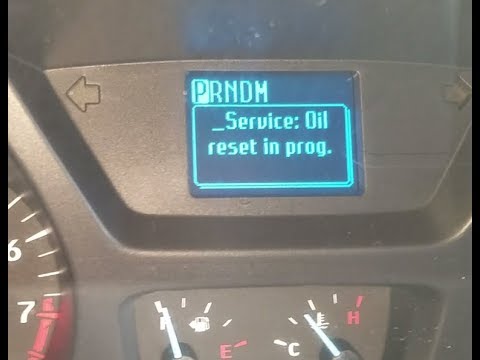
Let's briefly go over the instructions that will allow us to reset the service light for the regular maintenance of the engine oil change for the For…
Other guides you may be interested in
|
How to Install the Original Car Radio in a Mitsubishi Colt
How to install the original car radio in a Mitsubishi Colt? This video carefully shows how to disassemble and reassemble it. Unscrew the screws on the central dashboard using a screwdriver as shown in the video, then, using a plastic or metal lever, pry off the central trim of the dashboard. Remove the frame from the dashboard, and take out the plastic glove compartment along with the trim. Unscrew the retaining screws around the car radio, remove the stereo from the dashboard (disconnecting the various power cables). Finally, reassemble the car radio in the dashboard as it was disassembled earlier. by ScegliAuto More videos
|
|
For advertising on this site Write to info@scegliauto.com
ScegliAuto is not responsible for any inaccuracy of the data in the lists. To report any inaccuracy or your business (if you own the business in question), please write to info@scegliauto.com
Number of seconds to generate the page: 0.152
(c) ScegliAuto 2026 - info@scegliauto.com - Privacy policy VAT number: IT01247470535 |
